Have you ever wished your vibrant LED strip lights could do more than just glow? Imagine controlling their color, brightness, and even setting dynamic scenes with a simple voice command or tap on your smartphone. For years, analog LED strip lights have offered fantastic ambient and accent lighting, but true smart home integration seemed reserved for proprietary, often expensive, systems. The good news is, thanks to innovative smart controllers, you can now seamlessly upgrade your existing analog LED strips, unlocking a world of intelligent lighting possibilities without replacing your entire setup. This comprehensive guide will illuminate the best smart controllers available, helping you transform your “dumb” LED strips into a dazzling, responsive part of your smart home.
LED Strip Light: Overview and Applications
LED strip lights, often called LED tape or ribbon lights, are flexible circuit boards populated with surface-mounted light-emitting diodes (LEDs). They are typically available in various forms, including single-color, RGB (Red, Green, Blue for color mixing), RGBW (RGB plus a dedicated white diode), and RGBCCT (RGB plus a tunable warm to cool white). Unlike individually addressable LED strips, analog strips control all LEDs on a single circuit simultaneously, meaning the entire strip displays one color or brightness at any given time. This simplicity makes them widely popular and cost-effective.
The construction of an LED strip light usually involves a flexible PCB, LED chips, resistors to regulate current, and an adhesive backing for easy installation. They operate on low-voltage DC power, commonly 12V or 24V, provided by a power supply unit (PSU). The applications for LED strip lights are incredibly diverse, spanning both residential and commercial settings. From under-cabinet kitchen lighting and ambient bedroom accents to dynamic entertainment backlighting, retail displays, and architectural highlights, their versatility makes them a go-to solution for creative and functional illumination.
The Superior Advantages of LED Strip Lighting
LED strip lights have become a cornerstone of modern lighting design, largely due to their compelling advantages over traditional lighting sources.
First and foremost, LED strip lights are remarkably energy-efficient. They consume significantly less power than incandescent or halogen bulbs, translating into substantial savings on electricity bills over time. This efficiency is a key driver behind the global smart lighting market’s projected growth to exceed $28 billion by 2028.
Secondly, these lights boast an impressive long lifespan, often exceeding 50,000 hours of operation. This longevity drastically reduces the need for frequent replacements and maintenance, offering peace of mind and long-term value. Proper installation and not overloading the controller can further extend their operational life.
Flexibility and ease of installation are also major selling points. LED strips can be cut to custom lengths, bent around curves, and mounted almost anywhere thanks to their adhesive backing. This adaptability allows for truly personalized lighting designs that traditional fixtures simply can’t achieve.
Furthermore, LED strip lights offer immense diversity in color and light effects. From a subtle warm glow to vibrant, saturated hues, they can create dynamic and personalized atmospheres. RGB, RGBW, and RGBCCT strips allow users to tune the color temperature or choose from millions of colors, bringing spaces to life and enhancing moods.
Finally, LED strip lights are safe to use. They produce very little heat, reducing fire risks, and do not contain hazardous materials like mercury, making them an environmentally friendly choice. When paired with a compatible controller, they offer a low-voltage, cool-to-touch lighting solution for any space.
Smart Controllers: Revolutionizing Analog LED Strip Lighting
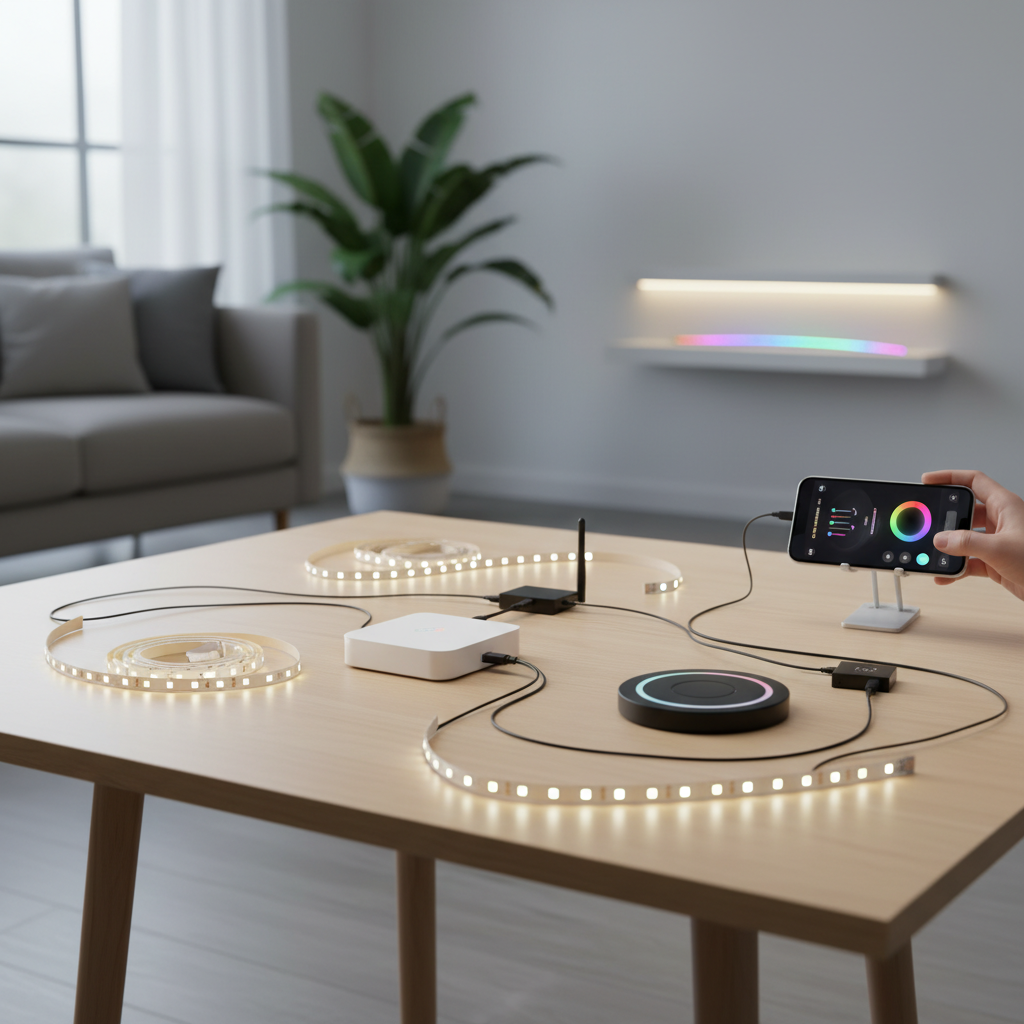
A smart controller acts as the brain for your analog LED strip lights, transforming them from basic illumination into an intelligent, responsive part of your smart home ecosystem. Essentially, an LED strip controller is an electronic device that manages the brightness, color, effects, and on/off states of your LED strips. It bridges the gap between your power source and the LED strip, allowing for extensive customization without requiring you to replace the strip itself.
The evolution of these controllers has seen a shift from rudimentary IR (infrared) and RF (radio frequency) remotes to sophisticated Wi-Fi, Bluetooth, and Zigbee-enabled devices. While IR remotes offer basic line-of-sight control, and RF remotes extend range through walls, modern smart controllers elevate the user experience significantly.
Key smart features include:
- Smartphone App Control: Manage your lights from anywhere using a dedicated app on your phone or tablet. This often includes fine-tuning brightness, selecting colors, and creating custom scenes.
- Voice Assistant Compatibility: Integrate with popular platforms like Amazon Alexa, Google Assistant, and Apple HomeKit, allowing for hands-free control. “Alexa, turn my living room lights blue!”
- Scheduling and Automation: Set timers for lights to turn on or off, dim at specific times, or even react to external triggers like sunrise/sunset or motion sensors.
- Music Synchronization: Some advanced controllers can analyze audio input and dynamically adjust light brightness or color to the rhythm of your music, perfect for entertainment areas.
- Custom Scenes and Effects: Create and save personalized lighting presets for different moods or occasions, from a soft reading light to a vibrant party atmosphere.
These capabilities not only enhance convenience but also contribute to energy savings by optimizing light usage. The ability to fine-tune lighting via a reliable LED strip controller becomes essential for consumers seeking personalized ambiance control in various settings.
Comparing Popular Smart Controllers for Analog LED Strips
Choosing the best smart controller for your analog LED strips depends on your specific needs, existing smart home ecosystem, and budget. Here’s a comparison of some leading options, focusing on their key features and compatibility:
| Controller Type | Connectivity | Smart Home Integration | Max Power | Strip Type Compatibility | Price Range |
|---|---|---|---|---|---|
| Govee WiFi LED Controller | Wi-Fi + App | Alexa, Google Assistant | 60W | RGB, RGBW, Single Color | $30-$45 |
| Kasa Smart LED Controller (KL430) | Wi-Fi | Amazon Alexa, Google Assistant, Kasa App | 60W | RGB, RGBW, Single Color | $40-$55 |
| Shelly Plus RGBW PM | Wi-Fi | Home Assistant, Alexa, HomeKit (via 3rd party) | 144W | RGBW, RGB, Single Color | $50-$65 |
| GLEDOPTO Zigbee Controller | Zigbee | Philips Hue, SmartThings, Home Assistant | Varies (e.g., 6A/channel) | RGB, RGBW, RGBCCT | $30-$50 |
| QuinLED An-Penta (DIY) | Wi-Fi (WLED) | Home Assistant, MQTT, Node-RED | High (DIY PSU) | RGB, RGBW, RGBCCT | $40-$80+ (module only) |
Note: Prices are approximate and can vary by retailer and region.
Essential Guide to Choosing the Right Smart Controller
Selecting the perfect smart controller for your analog LED strips involves a few critical considerations to ensure compatibility, functionality, and satisfaction.
-
Assess Your LED Strip Type and Voltage: This is the most crucial step. You must identify whether your strip is single-color, RGB, RGBW, or RGBCCT, and its operating voltage (typically 12V or 24V DC). A controller designed for RGB strips cannot control RGBCCT strips as it lacks the extra outputs for dual-white channels. Conversely, an RGBCCT controller is backward compatible, meaning it can manage RGBW, RGB, or single white strips by simply leaving unused channels disconnected. Mismatched voltage can damage components.
-
Consider Your Desired Control Method & Smart Home Ecosystem: Do you prefer control via a mobile app, voice commands, or a physical remote? If you already have a smart home setup (e.g., Alexa, Google Home, Apple HomeKit, SmartThings, Home Assistant), choose a controller that seamlessly integrates with it. Wi-Fi controllers are generally versatile for app and voice control, while Zigbee controllers excel in established hub-based ecosystems, offering mesh networking benefits.
-
Evaluate Power Requirements (Amperage & Wattage): Ensure the controller can handle the total current draw of your connected LED strips. Exceeding the controller’s capacity can lead to overheating, flickering, or even failure. A good rule of thumb is to select a power supply with a wattage rating at least 20% higher than the total wattage of your LED strip light.
-
Look for Key Features:
- Dimming Method: PWM (Pulse Width Modulation) is preferred for flicker-free dimming over analog methods.
- Music Sync: If dynamic, audio-reactive lighting is important, check for this feature.
- Local Control: Some advanced users prioritize local control (e.g., Shelly, WLED-based controllers) for greater privacy, speed, and reliability, as it doesn’t rely on cloud servers or an internet connection.
- Power-on State Memory: Does the controller remember its last setting (color, brightness) after a power outage? This prevents your lights from reverting to a default bright white every time the power cycles.
-
Check Brand Reputation and User Reviews: Research reputable brands and read recent user feedback. Common complaints often revolve around app connectivity issues, overheating, or unclear documentation. Brands with consistent firmware updates and good customer support are generally a safer bet.
Top Smart Controller Brands for Analog LED Strips
Navigating the market for smart LED strip controllers can be overwhelming. Here’s a closer look at some of the most trusted and popular brands, highlighting their strengths and what makes them stand out.
Govee
Govee offers a range of accessible and feature-rich Wi-Fi LED controllers. They are renowned for their user-friendly mobile app, which provides extensive customization options, pre-set scenes, and dynamic lighting effects. Govee controllers often include built-in microphones for music synchronization, reacting to ambient sound.
- Pros: Very easy to set up and use, affordable, wide array of lighting effects, strong app features, good integration with Alexa and Google Assistant.
- Cons: Primarily cloud-based (relies on internet connection), not always compatible with third-party strips without specific connectors, proprietary ecosystem.
|
Our Picks for the Best LED strip light in 2026
As an Amazon Associate I earn from qualifying purchases.
|
||
| Num | Product | Action |
|---|---|---|
| 1 | DAYBETTER LED Strip Lights 110ft, Smart Lighting Strips with App Remote Control, RGB Music Sync Color Changing Lights for Bedroom Kitchen Party Home Decor Luces led para cuarto (1 Roll) |

|
| 2 | White Led Strip Lights for Bedroom Small Dimmable LED Lights Strip 16.4ft Super Bright Flexible LED Tape Lights Rope Light for for Room Home Decor Luces Leds for Living Room Kitchen Vanity Mirror |
|
| 3 | dalattin White LED Strip Lights, 20ft Dimmable Super Bright 24V Led Tape Light 6500K 360 LEDs Lights for Bedrooms, Mirror, Kitchen, Home Decoration Daylight White |
|
| 4 | DAYBETTER Led Strip Lights 32.8ft Kit with Remote and Power Supply Color Changing |
|
| 5 | NBBUFF Led Lights for Bedroom 50ft (1 Roll), Color Changing RGB Led Strip Lights with 60 Keys Remote and App Control, Music Sync Led Lights for Room Kitchen Party Home Decor |
|
| 6 | Govee 100ft RGBIC LED Strip Lights, Smart LED Lights Work with Alexa and Google Assistant, LED Lights for Bedroom WiFi App Control Segmented DIY Multiple Colors, Color Changing Light, (2 x 50ft) |
|
| 7 | Govee White LED Strip Lights, Upgraded 16.4ft Dimmable LED Light Strip 6500K Bright Daylight White, Strong Adhesive, 300 LEDs Flexible Tape Lights for Mirror, Kitchen Cabinet, Bedroom, Christmas Decor |
|
| 8 | Barrina (6 Pack LED T5 Integrated Single Fixture, 4FT, 2200lm, 6500K Super Bright White, 20W Utility LED Shop Light, Ceiling and Under Cabinet Light, Corded Electric with ON/Off Switch, ETL Listed |
|
| 9 | KSIPZE 100ft Led Strip Lights RGB Music Sync Color Changing Led Lights with Smart App Control Remote Led Lights for Bedroom Room Lighting Flexible Home Décor |
|
| 10 | Govee RGBIC LED Strip Lights, Smart LED Lights for Bedroom, Bluetooth LED Lights APP Control, DIY Multiple Colors on One Line, Color Changing LED Strip Lighting Music Sync, Home Decor, 16.4ft |
|
Kasa Smart (TP-Link)
TP-Link’s Kasa Smart line, including their LED strip controllers like the KL430, provides reliable Wi-Fi connectivity and seamless integration into the Kasa smart home ecosystem. They are known for their robust app, stable performance, and compatibility with major voice assistants.
- Pros: Reliable Wi-Fi connection, intuitive Kasa app, strong integration with Alexa and Google Assistant, generally easy to install and manage.
- Cons: Limited in DIY customizability, typically Wi-Fi only (no Zigbee/Bluetooth options for strips), features are tied to the Kasa app.
Shelly
Shelly devices, such as the Shelly Plus RGBW PM, are favorites among tech-savvy users and those building advanced smart home systems, particularly with Home Assistant. They offer local control, high power handling, and flexible configuration. The Shelly RGBW can be configured as an RGBW controller or as four separate white channels, offering versatility for various analog strips.
- Pros: High power capacity (e.g., 144W), local control (doesn’t require a cloud for operation), excellent integration with Home Assistant, flexible output configurations.
- Cons: Smaller terminals can make wiring tricky, might have a slight delay on power-on, full potential often requires more advanced smart home knowledge, lack of a fifth channel for RGB CCT strips in some models.
GLEDOPTO
GLEDOPTO specializes in Zigbee-compatible LED controllers, making them an excellent choice for users with existing Zigbee hubs like Philips Hue Bridge or SmartThings. They offer a more budget-friendly entry point into these ecosystems compared to first-party branded lighting.
- Pros: Zigbee connectivity for robust mesh networks, compatible with popular hubs like Philips Hue and SmartThings, good value for smart home integration.
- Cons: Requires a Zigbee hub, app experience relies on the hub’s ecosystem app, not as many standalone features as some Wi-Fi controllers.
QuinLED (DIY with WLED)
For the ultimate in customization and local control, QuinLED boards running WLED software are a top-tier choice for enthusiasts. These DIY-friendly controllers leverage powerful ESP32 microcontrollers, allowing users to build highly customized smart lighting setups for both analog and addressable LED strips.
- Pros: Unparalleled flexibility and customization via WLED software, strong local control capabilities (no internet needed for basic functions), excellent build quality, supports a wide range of strip types.
- Cons: Requires DIY assembly and some technical know-how (soldering, flashing firmware), not a plug-and-play solution, higher upfront cost for components, default WLED settings might need user mods for features like last state memory.
“The magic of smart lighting isn’t just in the colors, but in the seamless integration with your lifestyle. A good controller should be an invisible assistant, anticipating your needs.” – Aron, Smart Home Lighting Specialist
Installation Tips and Best Practices for Smart LED Strip Controllers
Proper installation and maintenance are key to maximizing the performance and longevity of your smart LED strip setup.
Pre-Installation Checks
Before you begin, always confirm your LED strip’s voltage (12V or 24V) and current draw. This information is usually printed on the strip itself or its packaging. Ensure your chosen smart controller and power supply are compatible with these specifications. Overloading a controller beyond its rated wattage can lead to overheating and premature failure. You should also plan the layout and measure the required length of your LED strips to avoid unnecessary cuts or extensions.
Wiring Methods
Connecting your analog LED strip to the controller typically involves a few wires (e.g., four for RGB, five for RGBW/RGBCCT, two for single color) and a positive/negative power input.
- Connectors: Many controllers come with screw terminals or push-in connectors, which simplify wiring without soldering. Wago or Hippo connectors can also be used for secure connections.
- Soldering: For the most robust and discreet connections, especially when extending strips or integrating into tight spaces, soldering is an excellent option. Ensure clean, strong solder joints to prevent flickering or power loss.
- Grounds: Always ensure the ground wires from your LED strip and power supply are connected to the controller’s ground terminal.
Safety Precautions
- Do not overload the controller: Always stay within the controller’s maximum current and wattage ratings. If you have long runs of LED strips, you may need to use LED amplifiers or multiple power supplies/controllers to distribute the load.
- Proper ventilation: Install the controller in a dry, well-ventilated area to prevent heat buildup, which can reduce its lifespan.
- Surge protection: In areas with unstable power grids, consider using surge protectors to shield your equipment from voltage spikes.
- IP rating: If installing outdoors or in damp environments (like bathrooms), ensure both your LED strips and controller have an appropriate IP (Ingress Protection) rating (e.g., IP65 or higher) for moisture and dust resistance.
Troubleshooting Common Issues
- Flickering LED strip: This is often caused by loose connections, an insufficient power supply, or exceeding the controller’s current limit. Double-check all wiring, ensure your power supply provides enough wattage, and consider reducing the strip length or adding a signal amplifier.
- Connectivity problems: If your smart controller isn’t responding, check your Wi-Fi network (if applicable), ensure the controller is within range, and try power cycling both the controller and your router. For Zigbee devices, verify your hub is online and the device is paired correctly.
- Incorrect colors or unresponsive channels: Confirm your LED strip type matches the controller’s configuration (e.g., RGB strip on an RGB output). Some controllers allow you to reorder channel outputs if colors appear inverted.
By following these tips, you can ensure a safe, reliable, and enjoyable smart lighting experience with your analog LED strips.
Conclusion
Transforming your analog LED strip lights into a smart, responsive lighting system is an achievable and rewarding upgrade for any home. The right smart controller unlocks unparalleled control over color, brightness, and dynamic effects, seamlessly integrating with your broader smart home ecosystem. From user-friendly Wi-Fi options like Govee and Kasa to more advanced, locally controlled solutions from Shelly and the DIY flexibility of QuinLED with WLED, there’s a perfect controller for every need and skill level.
Remember to prioritize compatibility with your existing LED strips, consider your desired control methods, and carefully evaluate power requirements. With a thoughtful choice, you can enhance your home’s ambiance, boost energy efficiency, and enjoy the convenience of intelligent lighting for years to come. What smart lighting scene will you create first?
Frequently Asked Questions
Can one LED strip controller manage multiple strips?
Yes, a single LED strip controller can manage multiple strips as long as their combined power draw remains within the controller’s maximum wattage and amperage ratings. For longer runs or multiple strips, using LED splitters or signal amplifiers might be necessary to maintain consistent brightness and signal integrity.
Are all LED strip controllers compatible with any LED tape?
No, compatibility is crucial. You must match the controller’s output channels (e.g., RGB, RGBW, RGBCCT) and voltage (12V or 24V DC) with your specific LED strip type. Always consult the manufacturer’s specifications for both your strip and the controller before making a purchase to avoid damage.
Do I need a separate hub for smart LED controllers?
It depends on the controller’s connectivity. Wi-Fi and Bluetooth controllers typically connect directly to your home network or smartphone without needing an additional hub. However, Zigbee or Z-Wave controllers do require a compatible smart home hub (like a Philips Hue Bridge or SmartThings Hub) to function and integrate into your smart home ecosystem.
Can I install an LED strip controller outdoors?
You can install an LED strip controller outdoors only if both the controller and the LED strip itself have appropriate IP (Ingress Protection) ratings for resistance against dust and moisture (e.g., IP65 or higher). If the controller is not rated for outdoor use, it must be housed in a protected, waterproof enclosure.
How do I troubleshoot a flickering analog LED strip when using a smart controller?
Flickering often indicates a power issue or loose connection. First, check all physical wiring connections to ensure they are secure. Verify that your power supply provides sufficient wattage for the length of your LED strip. If the strip is very long, you might be exceeding the controller’s current limit, in which case adding an LED amplifier or splitting the strip into shorter segments with separate power injection might resolve the issue.