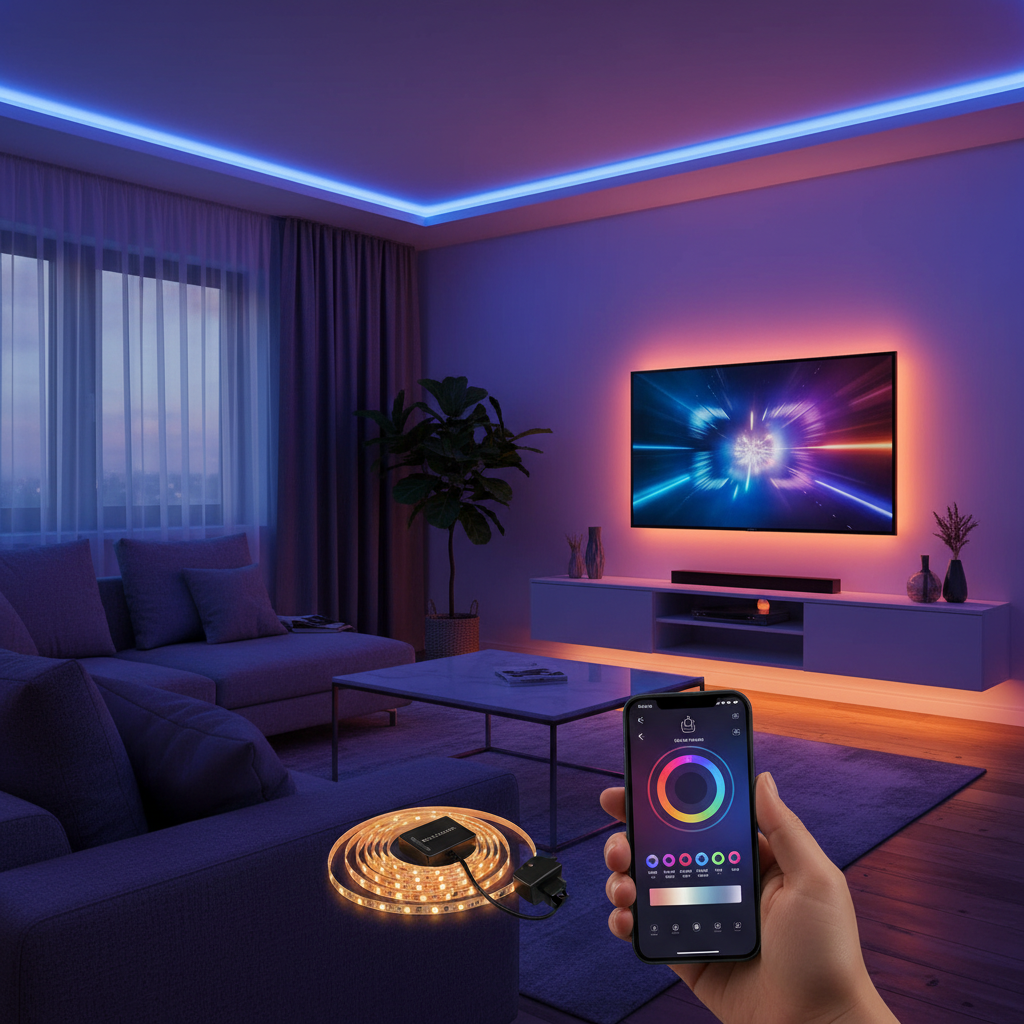
In today’s interconnected world, where screens dominate our leisure time, optimizing your viewing experience has become more important than ever. From reducing eye strain during late-night movie marathons to enhancing the perceived contrast of your television, bias lighting offers a simple yet effective solution. The Luminoodle Bias Lighting, with its convenient USB power, positions itself as an accessible entry point into this world, promising to elevate your home entertainment setup without complexity. But does this popular LED strip light truly deliver on its promises? Let’s delve into a detailed review of the Luminoodle Bias Lighting to see if it’s the right fit for your screen.
Understanding Luminoodle Bias Lighting: Overview and Key Features
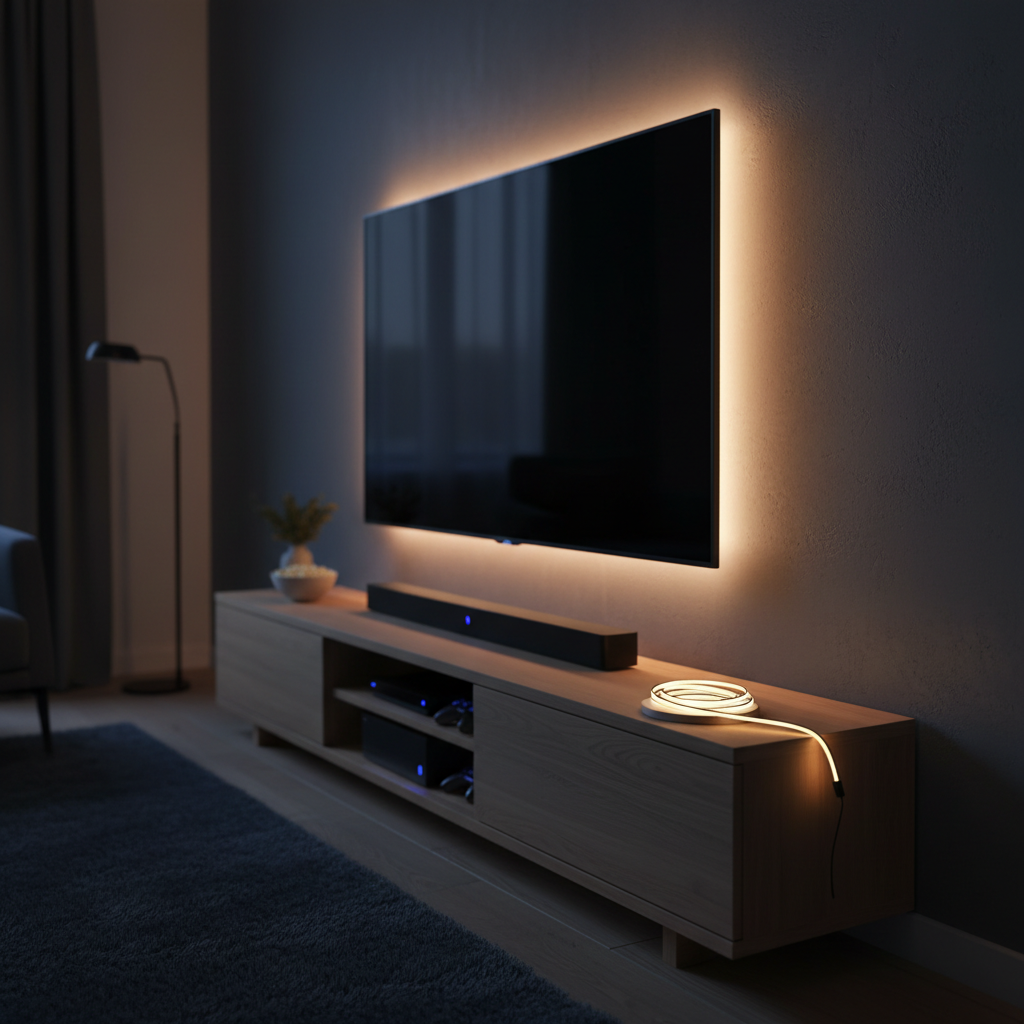
The Luminoodle Bias Lighting is essentially an LED strip designed to be affixed to the rear of your television or monitor, casting a soft glow onto the wall behind. The primary concept behind bias lighting is to reduce the perceived contrast between a bright screen and a dark background, making viewing more comfortable and potentially improving image quality. Luminoodle brings this concept to life with user-friendliness at its core, particularly through its USB-powered design.
At its heart, the Luminoodle utilizes RGB LEDs, allowing it to produce a spectrum of colors. The standard Color Bias Lighting model offers around 15 distinct color options, including variations of white, warm white, and cool white. Users can effortlessly switch between these hues, adjust brightness through several dimmer steps, and select from various lighting modes such as a gentle crossfade, a vibrant strobe, or a steady single color. Control is made convenient via a small, wireless RF remote, which is generally responsive and intuitive, as well as an in-line remote for basic functions.
Installation is straightforward, thanks to a robust 3M adhesive backing that allows the flexible strip to be securely attached. The Luminoodle is available in different lengths (typically 1, 2, and 3 meters) to accommodate various screen sizes. A notable feature is its trimmable design, enabling users to cut the strip to the precise length needed for their specific display. The integration of a reversible USB Type-A connector simplifies power, allowing the strip to be plugged directly into an available USB port on your TV, monitor, or even a USB wall adapter. This USB-powered aspect is a significant convenience, eliminating the need for separate power bricks and reducing cable clutter.
| Feature | Description |
|---|---|
| Power Source | USB (5V, 1A, 5 Watts) – reversible plug for easy connection |
| LED Type | RGB LEDs, enabling a wide range of colors |
| Color Options | Approximately 15 preset colors, including white, warm white, and cool white tones |
| Brightness Levels | Offers 8-10 distinct dimmer steps for customizable intensity |
| Lighting Modes | Solid color, Crossfade (slow color cycling), Strobe (rapid color changes) with adjustable speed |
| Control | Wireless RF Remote and a secondary in-line remote for basic adjustments |
| Lengths Available | 1 meter (Small), 2 meters (Medium), 3 meters (Large) to fit various screen sizes |
| Mounting | Durable 3M adhesive backing ensures secure attachment to surfaces |
| Lifespan | Rated for an impressive 50,000 hours, promising long-term use |
The Advantages of Luminoodle Bias Lighting: Enhancing Your Viewing Experience
The Luminoodle Bias Lighting offers several compelling benefits that can significantly improve your interaction with screens, extending beyond mere aesthetics.
First and foremost is the reduction of eye strain. When watching a bright screen in a dark room, your pupils constantly contract and dilate to adjust to the varying light levels, which can lead to fatigue, dryness, and even headaches. Bias lighting provides a balanced ambient light around the screen, easing this ocular workload. Many users report a noticeable decrease in discomfort after integrating bias lighting into their setups, making prolonged viewing sessions more comfortable.
Secondly, Luminoodle bias lighting can boost the perceived contrast of your TV. By illuminating the wall behind your display with a neutral color, it makes the dark areas on your screen appear deeper and the colors more vibrant. This optical illusion can make your existing TV seem to have a better picture quality without any costly hardware upgrades, effectively enhancing your overall viewing pleasure.
Ease of installation and flexibility are also major advantages. The peel-and-stick design, combined with the ability to trim the strip to size, makes setting up the Luminoodle a quick and hassle-free process. Its USB power means you can typically plug it directly into your TV’s available port, creating a clean, integrated setup. Furthermore, the diverse range of colors and lighting modes provides immense flexibility for creating different moods and aesthetics. Whether you want a subtle, calming glow or a dynamic, party-like atmosphere, the Luminoodle can adapt, making it a fun addition to any space.
“Bias lighting isn’t just about making your entertainment setup look good; it’s a practical solution for visual ergonomics. By reducing the intensity difference between your screen and its surroundings, it fundamentally protects your eyes from unnecessary strain, making your viewing sessions more enjoyable and less fatiguing.” – Lighting Ergonomics Specialist
A Closer Look at Performance: What to Expect
While the Luminoodle Bias Lighting offers a generally positive experience, a detailed look at its performance reveals both strengths and areas where it might not meet the expectations of every user, particularly those with a professional eye for color accuracy.
One of the most discussed aspects is white color accuracy. For casual users seeking general ambient light, the Luminoodle’s white settings are perfectly adequate. However, critical reviews note that the standard Luminoodle Color Bias Lighting model tends to exhibit a “slightly purple hue” in its white mode. This is a significant point for videophiles or those seeking to match the industry-standard 6500K (D65) color temperature, which is crucial for preventing color distortion in film and video content. It’s worth noting that Luminoodle does offer a “Pro” version specifically advertised to achieve a 6500K white point, catering to this more demanding audience. If reference-level color accuracy is your top priority, the standard Luminoodle might fall short, and the Pro version or other dedicated 6500K bias lighting solutions would be a better choice.
Brightness control is another area that receives mixed feedback. While the Luminoodle offers several dimmer levels (advertised as 10, though some reviewers counted 8), some users feel this provides insufficient granularity for fine-tuning. Achieving the perfect subtle glow that enhances contrast without overwhelming the screen can be challenging with limited steps. This might necessitate settling for a slightly brighter or dimmer setting than ideal.
The automatic on/off functionality with your TV’s USB port is a convenient feature that many appreciate. However, its actual performance depends on the specific TV model. Some televisions provide “always-on” USB power, meaning the Luminoodle would stay lit even when the TV is off unless manually switched. Other TVs correctly power the USB port only when the display is active. This variability means you might need to manually power the strip on or off, or use a separate USB wall adapter if your TV’s USB port doesn’t behave as desired for automatic operation.
In terms of build quality and adhesive, the Luminoodle generally holds up well. The 3M adhesive is strong, ensuring the strip remains in place once applied. However, this also means it’s largely a one-time installation; repositioning can be difficult and might damage the adhesive. The flexible ribbon cable design is easy to work with, though navigating sharp corners around the TV’s perimeter can require creating small folds or crimps, which some users found slightly challenging. Despite these minor installation quirks, the overall durability and longevity, with a rated lifespan of 50,000 hours, are commendable.
Choosing Your Luminoodle: Sizes, Setup, and Alternatives
Selecting the right Luminoodle Bias Lighting for your setup involves considering your screen size, installation preferences, and desired aesthetic.
First, match the length to your TV size. Luminoodle is available in 1-meter (small), 2-meter (medium), and 3-meter (large) options. For optimal bias lighting, the strip should cover at least 75% of the perimeter of the back of your TV, or ideally wrap around all four sides. Measure your TV’s perimeter or refer to Luminoodle’s sizing guide to choose the appropriate length. If you end up with excess, the strip can be trimmed at designated points for a clean finish.
For installation, preparation is key. Ensure the back of your TV is clean and free of dust for optimal adhesive grip. While the 3M adhesive is strong, it’s best to plan your route beforehand, perhaps using painter’s tape to mock up the placement. When applying, peel the backing incrementally and press firmly. For corners, gently fold or crimp the strip to navigate the bends without damaging the LEDs or connections. Remember, while the installation is straightforward, the strong adhesive means it’s generally a permanent placement.
Regarding powering options, the default is to plug the Luminoodle into your TV’s USB port. This offers a seamless experience where the light can turn on and off with your television, provided your TV’s USB port is powered accordingly. If your TV’s USB port is always active, or if you wish to use the Luminoodle for ambient lighting when the TV is off, you can power it using a standard USB wall adapter (sold separately).
While the Luminoodle offers excellent value, it’s also worth being aware of alternatives on the market. For those prioritizing precise 6500K white color accuracy, products like the MediaLight series are often cited as reference-grade options, though they typically come at a higher price point and might offer fewer color modes. Other budget-friendly RGB LED strips are also available, but they may lack the specific design considerations and reliable adhesion of the Luminoodle. Your choice ultimately depends on your budget, your emphasis on color accuracy, and how critical the “true white” experience is for your viewing habits.
Final Verdict: Is Luminoodle Bias Lighting Right for You?
The Luminoodle Bias Lighting (USB Powered) emerges as a compelling option for anyone looking to enhance their home entertainment setup with ambient lighting and the benefits of reduced eye strain. Its user-friendly design, straightforward installation, and versatile color options make it an attractive product, especially for those new to bias lighting.
For the vast majority of users, including casual viewers and those seeking an affordable aesthetic upgrade, the Luminoodle delivers excellent value. It successfully creates a vibrant backdrop, making screens feel more immersive and viewing more comfortable. The convenience of USB power and the included remote control further solidify its position as a highly accessible and enjoyable accessory. However, if you are a discerning videophile who demands absolute color accuracy, particularly a “true” 6500K white point, the standard Luminoodle Color Bias Lighting might present a slight purple tint that could be a point of contention. In such cases, investing in the Luminoodle Pro version or a specialized 6500K bias light would be advisable.
Overall, the Luminoodle Bias Lighting is a fun, functional, and budget-friendly product that genuinely elevates the TV viewing experience for most. It’s a simple upgrade that offers significant comfort and visual enhancement without breaking the bank.
Frequently Asked Questions
What is bias lighting and why should I use it?
|
Our Picks for the Best LED strip light in 2026
As an Amazon Associate I earn from qualifying purchases.
|
||
| Num | Product | Action |
|---|---|---|
| 1 | White Led Strip Lights for Bedroom Small Dimmable LED Lights Strip 16.4ft Super Bright Flexible LED Tape Lights Rope Light for for Room Home Decor Luces Leds for Living Room Kitchen Vanity Mirror |

|
| 2 | NBBUFF Led Lights for Bedroom 50ft (1 Roll), Color Changing RGB Led Strip Lights with 60 Keys Remote and App Control, Music Sync Led Lights for Room Kitchen Party Home Decor |
|
| 3 | DAYBETTER Led Strip Lights 32.8ft Kit with Remote and Power Supply Color Changing |
|
| 4 | DAYBETTER LED Strip Lights 110ft, Smart Lighting Strips with App Remote Control, RGB Music Sync Color Changing Lights for Bedroom Kitchen Party Home Decor Luces led para cuarto (1 Roll) |
|
| 5 | dalattin White LED Strip Lights, 20ft Dimmable Super Bright 24V Led Tape Light 6500K 360 LEDs Lights for Bedrooms, Mirror, Kitchen, Home Decoration Daylight White |
|
| 6 | KSIPZE 100ft Led Strip Lights RGB Music Sync Color Changing Led Lights with Smart App Control Remote Led Lights for Bedroom Room Lighting Flexible Home Décor |
|
| 7 | Barrina (6 Pack LED T5 Integrated Single Fixture, 4FT, 2200lm, 6500K Super Bright White, 20W Utility LED Shop Light, Ceiling and Under Cabinet Light, Corded Electric with ON/Off Switch, ETL Listed |
|
| 8 | Govee White LED Strip Lights, Upgraded 16.4ft Dimmable LED Light Strip 6500K Bright Daylight White, Strong Adhesive, 300 LEDs Flexible Tape Lights for Mirror, Kitchen Cabinet, Bedroom, Christmas Decor |
|
| 9 | Govee RGBIC LED Strip Lights, Smart LED Lights for Bedroom, Bluetooth LED Lights APP Control, DIY Multiple Colors on One Line, Color Changing LED Strip Lighting Music Sync, Home Decor, 16.4ft |
|
| 10 | Govee 100ft RGBIC LED Strip Lights, Smart LED Lights Work with Alexa and Google Assistant, LED Lights for Bedroom WiFi App Control Segmented DIY Multiple Colors, Color Changing Light, (2 x 50ft) |
|
Bias lighting is ambient illumination placed behind your television or monitor. It reduces eye strain by decreasing the contrast between a bright screen and a dark room, making viewing more comfortable for extended periods. It also enhances the perceived contrast and vibrancy of on-screen images, making them appear richer.
How do I install Luminoodle Bias Lighting?
Installation is straightforward: clean the back of your TV, peel the 3M adhesive backing from the Luminoodle strip, and firmly attach it around the perimeter of your screen. You can cut the strip at designated points for a perfect fit, and then simply plug the USB connector into an available TV port or a USB wall adapter.
Does Luminoodle Bias Lighting work with all TVs?
Yes, Luminoodle Bias Lighting works with virtually any TV or monitor that has an available USB port for power. Its USB-powered design offers universal compatibility. The automatic on/off function, however, depends on whether your TV’s USB port powers on and off with the display.
Can Luminoodle Bias Lighting help with eye strain?
Absolutely. By providing a soft, balanced light behind your screen, Luminoodle Bias Lighting helps to reduce the sharp contrast between your display and a dark room. This minimizes the effort your eyes exert to adapt to changing light levels, significantly reducing eye fatigue and discomfort.
What’s the difference between Luminoodle Color and Luminoodle Pro?
The standard Luminoodle Color Bias Lighting offers a wide range of RGB colors, but its white setting may have a slight purple tint, not perfectly matching the 6500K industry standard. The Luminoodle Pro version is specifically designed to provide a more accurate 6500K white light, making it suitable for videophiles who prioritize color fidelity.
Is Luminoodle Bias Lighting worth the price?
Considering its ease of installation, versatile color options, effective eye strain reduction, and enhanced perceived contrast for your TV, the Luminoodle Bias Lighting is generally considered excellent value for its price. It offers a significant upgrade to the viewing experience without a hefty investment.