Have you ever found yourself squinting or experiencing eye fatigue after a long session in front of your computer monitor? In our increasingly digital world, many of us spend countless hours staring at screens, leading to potential discomfort and reduced productivity. This is where USB LED strip lights, specifically designed for monitor bias lighting, step in as a simple yet incredibly effective solution.
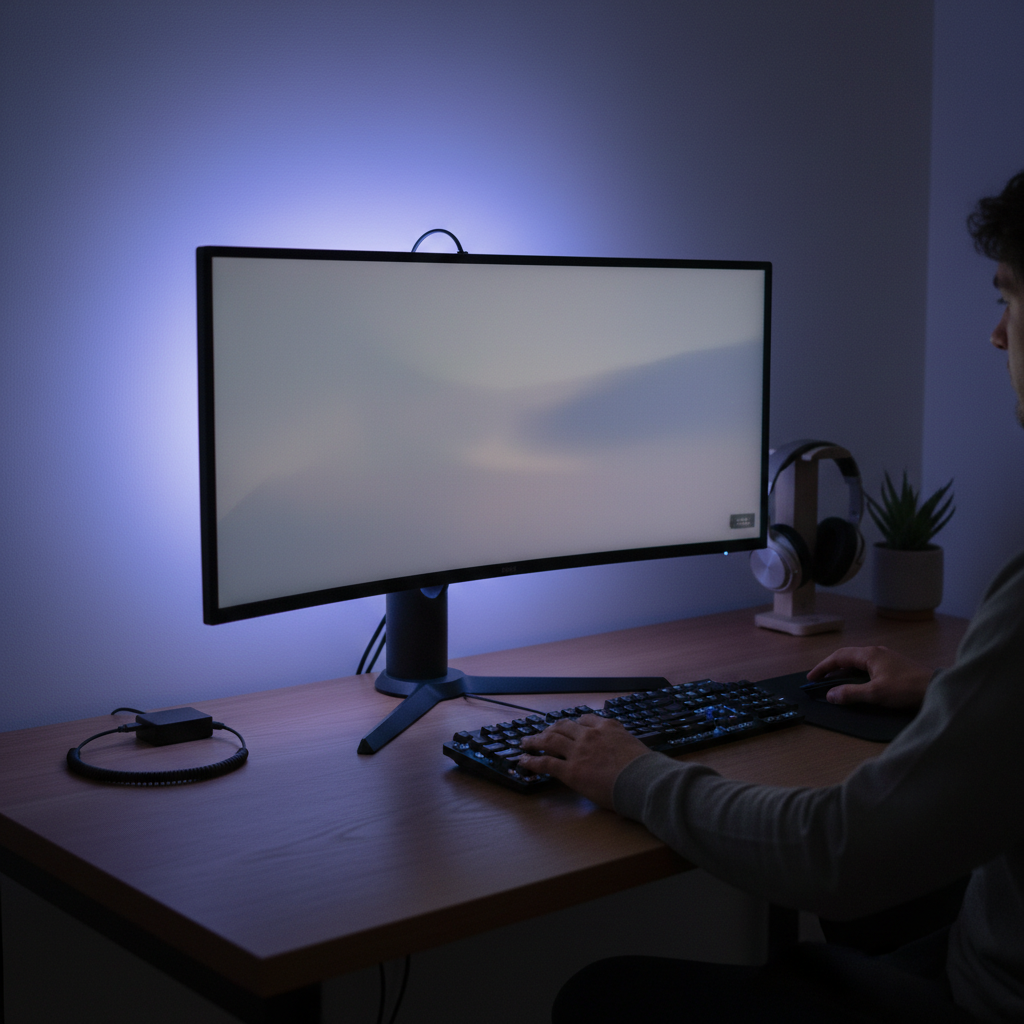
Bias lighting creates a gentle, ambient glow behind your monitor, reducing the harsh contrast between your bright screen and a dark room. This subtle illumination not only alleviates eye strain and fatigue but also dramatically improves your perceived picture quality, making colors pop and blacks appear deeper. Whether you’re a hardcore gamer, a diligent remote worker, a creative professional, or simply someone who enjoys an immersive movie night, investing in the right bias lighting can transform your entire viewing experience. In this comprehensive guide, we’ll dive into everything you need to know about USB LED strips for monitor bias lighting, from understanding their benefits to choosing and installing the perfect set for your setup.
USB LED Strip Lights for Monitor Bias Lighting: Overview and Benefits
USB LED strip lights are flexible strips embedded with light-emitting diodes that draw power directly from a USB port – a common feature on most modern monitors, TVs, and computers. When used for bias lighting, these strips are affixed to the back of your monitor, casting an indirect light onto the wall behind it. This creates a halo effect that counteracts the perceived brightness of your screen and offers numerous advantages for both your eyes and your visual content.
The concept of bias lighting is rooted in human visual perception. When a bright screen is viewed in a dark room, your pupils constantly dilate and constrict as your eyes adjust to the fluctuating light levels on the screen and the extreme darkness around it. This continuous adjustment tires your ocular muscles, leading to eye strain, headaches, and overall fatigue. By introducing a soft, balanced light behind the monitor, bias lighting effectively raises the ambient light level, reducing the eye’s workload.
Here are the key benefits of integrating USB LED strip bias lighting into your monitor setup:
- Reduced Eye Strain and Fatigue: This is arguably the most significant benefit. By minimizing the harsh contrast, bias lighting creates a more comfortable viewing environment, allowing your eyes to relax and reducing the likelihood of strain, dryness, and headaches, especially during prolonged use.
- Improved Perceived Contrast: While bias lighting doesn’t change the actual contrast ratio of your monitor, it makes the blacks on your screen appear deeper and colors more vibrant. This optical illusion occurs because the eye perceives dark areas as darker when surrounded by a subtle light rather than complete darkness.
- Enhanced Immersion: For gamers and movie enthusiasts, bias lighting can significantly heighten the sense of immersion. The ambient glow extends the visual field beyond the screen, drawing you further into the content and creating a more dynamic and engaging experience.
- Aesthetic Appeal: Beyond its functional benefits, bias lighting adds a sleek, modern, and professional aesthetic to any desk or entertainment area. It creates a stylish glow that can elevate the look of your entire workspace.
- Energy Efficiency: As LED technology, these strips are highly energy-efficient, drawing minimal power, especially when connected to your monitor’s USB port.
- Easy Installation: Most USB LED strips feature a simple peel-and-stick adhesive backing and plug-and-play USB connectivity, making them incredibly easy to install without special tools or electrical knowledge.
Types of USB LED Strip Lights for Bias Lighting
The market offers a diverse range of USB LED strip lights, each with specific features catering to different needs and preferences. Understanding these variations will help you select the ideal strip for your monitor bias lighting setup.
- Color Temperature:
- True White (6500K): For critical viewing, professional photo/video editing, and maximum eye comfort, a true white light at a color temperature of 6500 Kelvin (D65 standard) is often recommended. This mimics natural daylight and ensures color accuracy without affecting your screen’s rendition. Products like the Luminoodle Bias Lighting offer this specific white option.
- RGB/Multi-color: These strips allow you to select from a vast spectrum of colors, including various shades of white. RGB strips are perfect for adding ambiance, matching gaming setups, or creating dynamic lighting effects during movies or music. Many brands, including BASON LIGHTING and SANSUN, offer RGB options.
- LED Chip Type:
- SMD 5050: These are larger, brighter LED chips often used in RGB strips due to their ability to produce multiple colors from a single chip. They are known for their strong light output.
- SMD 2835: Smaller and often more energy-efficient, 2835 chips are commonly found in white or single-color strips.
- COB (Chip-on-Board): A newer technology, COB LED strips offer a continuous, dot-free light output, which can provide a very smooth and uniform glow, enhancing the seamless bias lighting effect.
- Control Methods:
- Inline Controller: Basic strips often have a small controller built into the USB cable with simple buttons for power, color, and brightness adjustment.
- IR Remote: Infrared remotes require a line of sight to control the strip, offering more options for color changes, dynamic modes, and dimming.
- RF Remote: Radio Frequency remotes do not require a direct line of sight, making them more convenient for controlling lights behind a monitor.
- App Control (Bluetooth/Wi-Fi): Smart LED strips can be controlled via a smartphone app, often offering the most extensive range of features including custom color palettes, scene modes, music synchronization, and even voice control integration with smart home systems.
- Length & Flexibility: LED strips come in various predetermined lengths (e.g., 1M, 2M, 3M, 4M) to suit different monitor sizes. Many are also designed to be cuttable at specific intervals, allowing for customization. Flexible corner connectors are often included or sold separately to ensure a clean wrap around the monitor’s edges.
- Power Source: Primarily, these are USB-powered, meaning they can plug directly into an available USB port on your monitor, computer, or a separate USB wall adapter. This ensures convenience and often synchronizes power with your device.
Comparison Table: Popular USB LED Strip Features
Choosing the right USB LED strip depends heavily on your primary use case and desired features. Here’s a comparison of common types to help you decide:
| Feature | True White (6500K) Bias Lighting | RGB/Multi-color Bias Lighting | Smart (App/Voice Control) Bias Lighting |
|---|---|---|---|
| Primary Purpose | Color accuracy, Eye health | Ambiance, Gaming, Aesthetics | Versatility, Integration, Advanced FX |
| Color Options | Single fixed white (6500K) | 16+ million colors | 16+ million colors, dynamic scenes |
| Control | Inline, Basic IR Remote | IR/RF Remote, Basic App | Bluetooth/Wi-Fi App, Voice Assistants |
| Eye Strain Relief | Highest (neutral light) | High (if set to suitable white) | High (if set to suitable white) |
| Immersion | Subtle, enhances content | High (dynamic effects) | Very High (music sync, screen mirroring) |
| LED Type | SMD 2835/5050, COB | SMD 5050, COB | SMD 5050, COB |
| Installation | Easy | Easy | Easy |
| Price | Low to Medium | Medium | Medium to High |
Choosing the Right USB LED Strip for Your Monitor (Buying Guide)
Making the best choice involves considering several factors tailored to your specific setup and preferences.
- Monitor Size and Coverage: This is paramount. Measure the perimeter of your monitor or the specific sides you wish to illuminate. USB LED strips come in various lengths (e.g., 1 meter, 2 meters, etc.), and many are designed to be cuttable at marked intervals. Ensure the length you choose is adequate for your screen size, factoring in any corner connectors if full perimeter coverage is desired.
- Desired Effect – White vs. RGB:
- If your primary goal is to reduce eye strain, improve color accuracy for professional work, or achieve a sophisticated, clean aesthetic, a 6500K true white bias light is your best bet.
- For gamers, streamers, or those seeking a more vibrant, customizable, and immersive entertainment experience, an RGB or multi-color strip with dynamic effects and music synchronization would be more suitable.
- Control Preference: Decide how you want to interact with your lights. Simple inline controllers are fine for basic users. An IR or RF remote offers more features without needing your phone. For ultimate convenience, advanced features, and smart home integration, opt for strips with app control (Bluetooth or Wi-Fi).
- Brightness and Dimming Capabilities: Look for strips that offer adjustable brightness. Bias lighting should be subtle, not distracting. The ability to dim the lights allows you to find the perfect level that complements your screen without overwhelming it.
- Adhesive Quality and Installation Ease: A high-quality 3M adhesive backing is crucial for long-term adhesion. Check for features like cuttable sections and flexible corner connectors, which simplify installation and ensure a neat, professional look around your monitor’s edges.
- Budget: USB LED strips range widely in price. Basic white strips are very affordable, while smart RGB strips with advanced features will be at the higher end. Determine your budget and balance it with the features that are most important to you.
- Brand Reputation and User Reviews: Reputable brands often provide better product quality, reliability, and customer support. Companies like Power Practical (known for Luminoodle), BASON LIGHTING, and SANSUN frequently appear in top product lists and receive positive user feedback. Reading user reviews can offer valuable insights into real-world performance and potential issues.
Top Brands and Recommended Products
Several brands have established themselves in the bias lighting market, offering quality USB LED strips tailored for monitors.
- Power Practical Luminoodle: This brand is often cited for its high-quality bias lighting solutions. They offer both dedicated 6500K true white strips, praised for their color accuracy and eye strain reduction, and vibrant RGB options. Their products typically focus on ease of installation and consistent performance.
- BASON LIGHTING: Frequently appearing in searches for monitor backlighting, BASON LIGHTING provides a range of RGB USB LED strips often equipped with remote or app control, catering to users looking for dynamic color and effect options.
- SANSUN: Another popular choice for RGB LED strips, SANSUN offers products with features like app control and music synchronization, allowing for an immersive experience that reacts to audio.
- Generic Options: Many unbranded or lesser-known options are available, particularly on large e-commerce sites. When considering these, pay close attention to the LED chip type (e.g., 5050 for brightness), the quality of the adhesive, and detailed user reviews to gauge reliability.
When exploring products, look for specifications that match your needs, such as the correct length for your monitor and the desired control method (remote, app). Prioritize strips that emphasize robust adhesive and provide connectors for a clean installation.
Installation Tips and Best Practices
Installing USB LED strip lights for bias lighting is a straightforward process, but following these tips will ensure optimal performance and a clean, professional look.
- Clean the Surface: Before applying the LED strip, thoroughly clean the back of your monitor and the surrounding frame with rubbing alcohol. This removes dust and oils, ensuring the adhesive bonds properly for long-lasting attachment.
- Strategic Placement: For the most effective bias lighting, position the LED strip roughly 1 to 2 inches (2.5 to 5 cm) from the edge of your monitor, facing outwards towards the wall. This allows the light to diffuse evenly and prevents hotspots. Avoid placing the strip too close to the screen, as it could create distracting light spill.
- Handling Corners: Some LED strips are designed with flexible sections that allow them to bend around corners. If not, use dedicated flexible corner connectors, often included in kits or sold separately, to create neat, uninterrupted lighting around the monitor’s perimeter. Avoid sharp folds that can damage the strip’s internal wiring.
- Power Management Considerations:
- Monitor’s USB Port: Plugging the strip into your monitor’s USB port is convenient, as the lights will typically turn on and off with your monitor.
- USB Wall Adapter: If your monitor’s USB port doesn’t provide consistent power, or if you prefer the lights to operate independently of your monitor’s power state, use a separate USB wall adapter. This allows you to keep the bias lighting on even when your monitor is off or in standby.
- Cable Management: Use small cable clips, ties, or channels to neatly route the USB cable from the LED strip to its power source. This prevents dangling wires and contributes to a tidy setup.
- Optimal Brightness: Bias lighting should be subtle. The ideal brightness is generally around 10% of your monitor’s peak brightness. Experiment with the dimming feature to find a level that enhances the viewing experience without being distracting or adding to eye strain. A light that is too bright can negate the benefits of bias lighting.
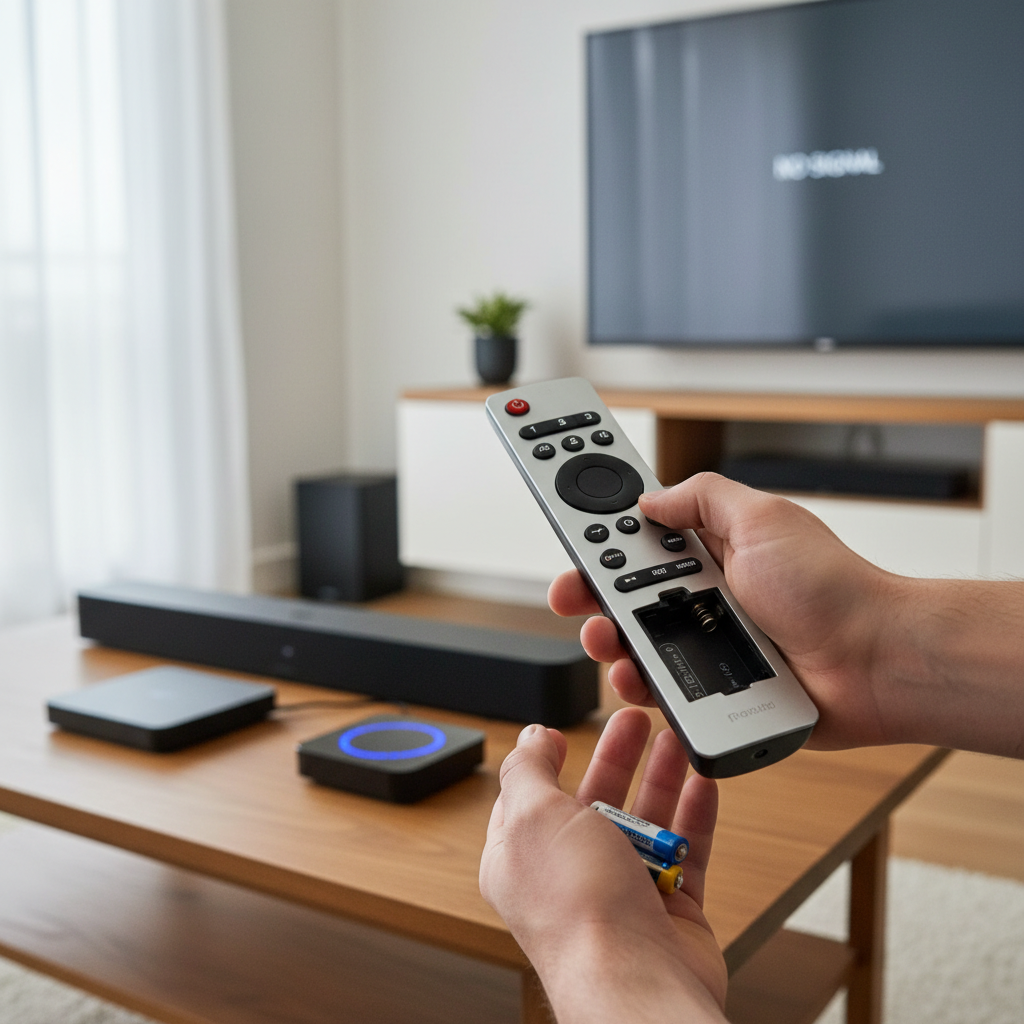
- Troubleshooting Common Issues: If your lights aren’t working, first check all connections, ensuring the USB plug is fully inserted. Verify that the power source (monitor USB or wall adapter) is active. If using a remote, check its battery. For app-controlled lights, ensure Bluetooth or Wi-Fi is enabled and the app is correctly paired.
“Many users underestimate the impact of ambient lighting on visual comfort and perceived picture quality. A properly installed bias light is one of the most cost-effective upgrades you can make to any monitor setup.” – Alex Chen, LED Lighting Technician.
Conclusion
Incorporating USB LED strips for monitor bias lighting is a straightforward yet impactful upgrade that can significantly enhance your digital life. From mitigating eye strain and fatigue during marathon work or gaming sessions to enriching the visual depth and vibrancy of your content, the benefits are clear. By understanding the different types of strips available – whether you prioritize the crisp, accurate glow of a 6500K true white light or the dynamic, immersive appeal of RGB colors – you can make an informed decision that perfectly suits your needs.
With easy installation, flexible control options, and the ability to transform your workspace or entertainment hub, there’s no reason not to explore the world of monitor bias lighting. Make the simple switch today and give your eyes the comfort they deserve while unlocking a more engaging viewing experience. What’s your favorite bias lighting setup for an optimized viewing environment?
Frequently Asked Questions
What is bias lighting and why is it important for monitors?
|
Our Picks for the Best LED strip light in 2026
As an Amazon Associate I earn from qualifying purchases.
|
||
| Num | Product | Action |
|---|---|---|
| 1 | White Led Strip Lights for Bedroom Small Dimmable LED Lights Strip 16.4ft Super Bright Flexible LED Tape Lights Rope Light for for Room Home Decor Luces Leds for Living Room Kitchen Vanity Mirror |

|
| 2 | DAYBETTER LED Strip Lights 110ft, Smart Lighting Strips with App Remote Control, RGB Music Sync Color Changing Lights for Bedroom Kitchen Party Home Decor Luces led para cuarto (1 Roll) |
|
| 3 | dalattin White LED Strip Lights, 20ft Dimmable Super Bright 24V Led Tape Light 6500K 360 LEDs Lights for Bedrooms, Mirror, Kitchen, Home Decoration Daylight White |
|
| 4 | KSIPZE 100ft Led Strip Lights RGB Music Sync Color Changing Led Lights with Smart App Control Remote Led Lights for Bedroom Room Lighting Flexible Home Décor |
|
| 5 | Govee 100ft RGBIC LED Strip Lights, Smart LED Lights Work with Alexa and Google Assistant, LED Lights for Bedroom WiFi App Control Segmented DIY Multiple Colors, Color Changing Light, (2 x 50ft) |
|
| 6 | DAYBETTER Led Strip Lights 32.8ft Kit with Remote and Power Supply Color Changing |
|
| 7 | Govee White LED Strip Lights, Upgraded 16.4ft Dimmable LED Light Strip 6500K Bright Daylight White, Strong Adhesive, 300 LEDs Flexible Tape Lights for Mirror, Kitchen Cabinet, Bedroom, Christmas Decor |
|
| 8 | Barrina (6 Pack LED T5 Integrated Single Fixture, 4FT, 2200lm, 6500K Super Bright White, 20W Utility LED Shop Light, Ceiling and Under Cabinet Light, Corded Electric with ON/Off Switch, ETL Listed |
|
| 9 | NBBUFF Led Lights for Bedroom 50ft (1 Roll), Color Changing RGB Led Strip Lights with 60 Keys Remote and App Control, Music Sync Led Lights for Room Kitchen Party Home Decor |
|
| 10 | Govee RGBIC LED Strip Lights, Smart LED Lights for Bedroom, Bluetooth LED Lights APP Control, DIY Multiple Colors on One Line, Color Changing LED Strip Lighting Music Sync, Home Decor, 16.4ft |
|
Bias lighting is a soft, ambient light placed behind your monitor that illuminates the surrounding wall. It’s important because it reduces the harsh contrast between a bright screen and a dark room, which in turn minimizes eye strain and fatigue. This balanced environment also tricks your eyes into perceiving deeper blacks and richer colors on your screen.
Can any LED strip be used for bias lighting?
While many LED strips can technically be placed behind a monitor, dedicated bias lighting strips are designed with specific features for optimal results. They often come in appropriate lengths, use USB power for convenience, and may offer specific color temperatures (like 6500K true white) and brightness levels ideal for eye comfort and color accuracy.
Is 6500K true white necessary, or can I use RGB colors?
6500K true white is highly recommended for critical viewing, professional work, and maximum eye health benefits as it closely matches natural daylight and does not interfere with screen colors. RGB colors are excellent for aesthetics, gaming, and creating a vibrant atmosphere, but they can subtly alter your perception of screen colors. The choice depends on your primary use case.
How do I determine the correct length of LED strip for my monitor?
To find the correct length, measure the perimeter of your monitor or the specific sides you wish to illuminate. Most USB LED strips come in standard lengths (e.g., 1m, 2m, 3m) and are often cuttable at designated points. Many kits are designed for common monitor sizes, so check product specifications for compatibility.
Do USB LED strips turn off with the monitor?
If your USB LED strip is plugged directly into a USB port on your monitor, it will typically power off or enter standby when the monitor does. If you prefer the lights to remain on independently, you can plug the USB cable into a separate USB wall adapter or a powered USB hub.