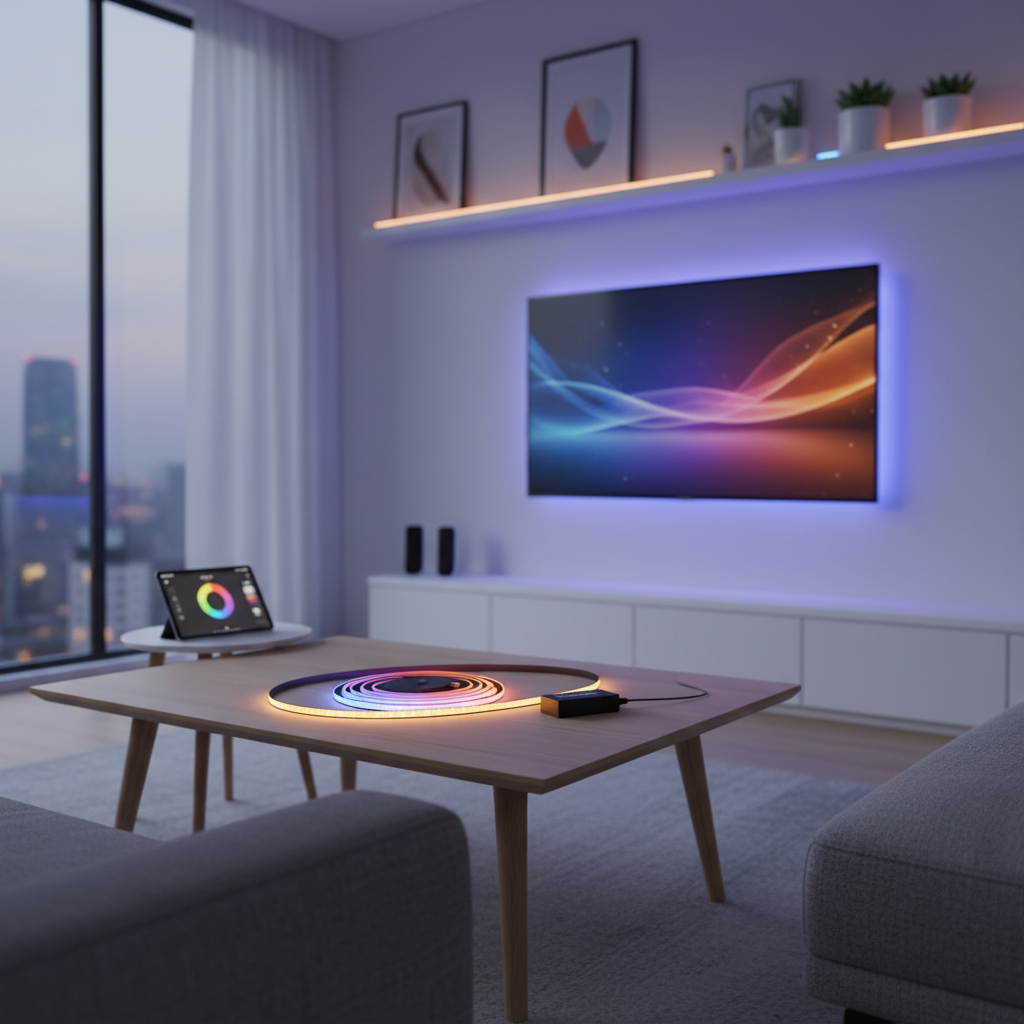
LED strip lights have revolutionized home and commercial lighting, offering unparalleled flexibility and vibrant aesthetics. However, few things are as frustrating as when your LED strip lights display the wrong colors, failing to respond correctly to your remote control. Imagine setting the mood for a cozy evening with a warm red, only to see a jarring green light instead. This common issue can stem from various sources, from simple battery problems to complex controller malfunctions. This guide will walk you through systematic troubleshooting steps, helping you diagnose and resolve why your LED strip colors aren’t matching your remote control, ensuring your lighting setup always delivers the desired ambiance.
Understanding Your LED Strip Light System
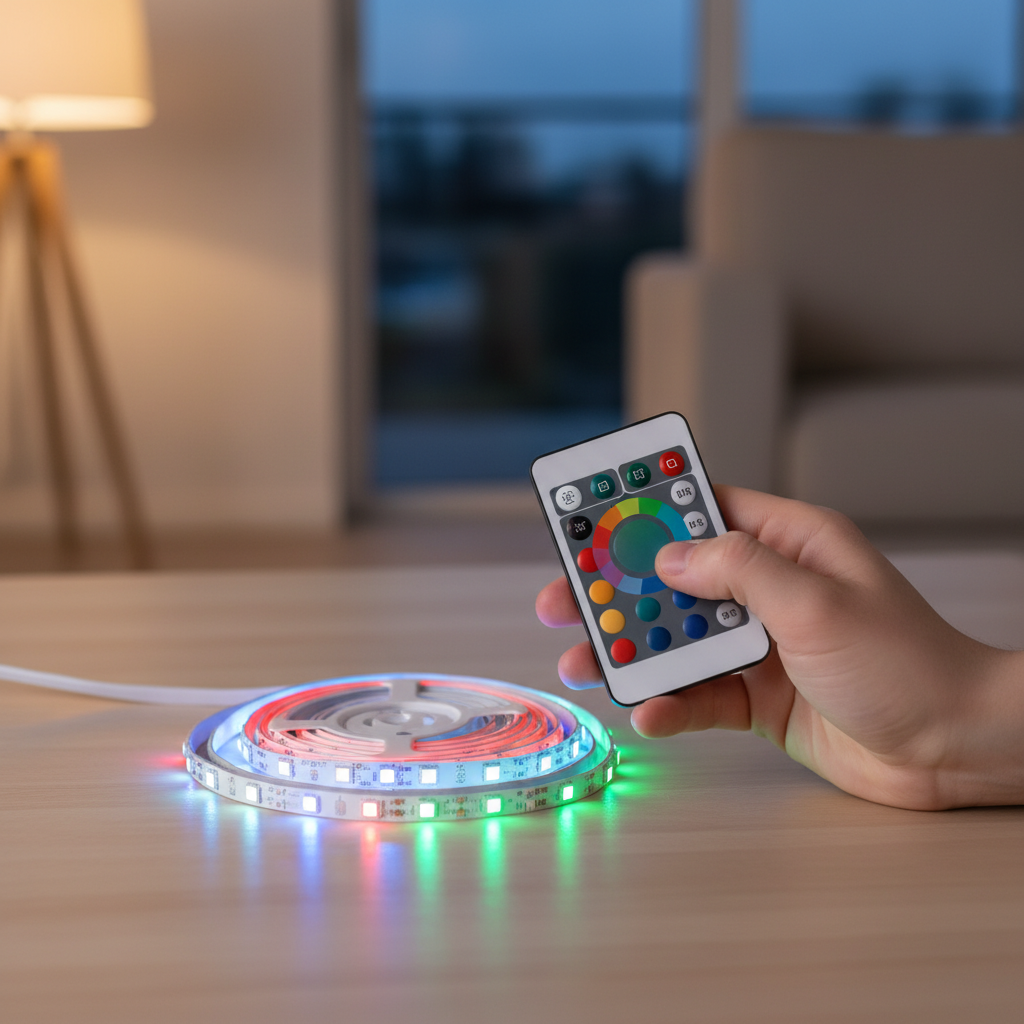
Before diving into fixes, it’s essential to grasp the basic components of your LED strip light system and how they interact. A typical setup includes the LED strip itself, a controller (often a small box connected to the strip), a remote control, and a power supply. The remote sends signals (usually infrared or radio frequency) to the controller, which then interprets these signals to adjust the color, brightness, and effects of the LED strip.
Types of Remotes and Controllers:
- Infrared (IR) Remotes: Require a direct line of sight to the controller’s IR receiver. They are sensitive to obstructions.
- Radio Frequency (RF) Remotes: Do not require line of sight and can operate from a greater distance, often through walls.
- Bluetooth/Wi-Fi Controllers: Controlled via smartphone apps, offering more advanced features and integration with smart home systems.
Why Colors Mismatch: The core reason for a color mismatch is a breakdown in communication or an incorrect interpretation of signals within this system. This could be due to issues with the remote, the controller, the wiring, the power supply, or even individual LED components.
Initial Checks: The First Steps to Troubleshooting
When your LED strip lights aren’t displaying the correct colors, start with these quick and easy checks. These often resolve the most common issues without needing deeper diagnostics.
First, check your remote control’s battery. A weak or dead battery is a frequent culprit behind unresponsive or erratic remote behavior. Many LED remotes use coin-cell batteries (like CR2025). Remove the battery, wait a few seconds, and then reinsert it or replace it with a fresh one. If the remote has an indicator light, check if it illuminates when you press a button. If not, the battery is likely the issue.
Next, consider the line of sight and range for your remote. For IR remotes, ensure there are no physical obstructions between the remote and the LED controller’s receiver. Even furniture or decorations can block the signal. If you’re using an RF remote, while it doesn’t require direct line of sight, operating it from too far away or through multiple heavy obstacles might weaken the signal. Try moving closer to the LED strip and pointing the remote directly at the receiver.
Finally, a simple power cycle can often clear minor glitches. Disconnect the LED controller from its power source, wait for at least 10-15 seconds, then plug it back in. This soft reset can resolve temporary software errors or communication hiccups between the controller and the LED strip.
Fixing Connection and Wiring Problems
Improper or loose connections are a significant cause of LED color discrepancies. A thorough inspection of your wiring can often reveal the problem.
Begin by securing all connections. Ensure that the LED strip is firmly plugged into the controller, and the controller is securely connected to the power supply. Loose connections can lead to intermittent power, voltage drops, or incorrect signal transmission, causing colors to appear differently than intended. Gently unplug and re-plug each connection point to ensure a snug fit.
Next, check for damaged wires. Inspect the wiring between the power source, controller, and LED strip for any signs of fraying, cuts, or pinched areas. Damaged wires can disrupt the flow of power or data signals, leading to inconsistent color output. If you find any damaged sections, they may need to be repaired or replaced.
Finally, verify the wiring alignment, especially for RGB (Red, Green, Blue) LED strips. Most RGB strips have four pins: one for positive (+) voltage and three for R, G, and B. If these wires are connected in the wrong order to the controller (e.g., your strip is GRB and your controller expects RGB), the colors will be mismatched. For example, pressing “Red” on the remote might produce green light. Some controllers have markings to guide proper alignment; ensure they match your strip’s configuration. Carefully re-align the pins if they appear incorrect.
Resetting and Re-pairing Your LED Remote and Controller
A common solution for color mismatches is to reset and re-pair your remote control with the LED controller. This process syncs the remote and receiver, resolving any programming issues that might have occurred.
Generic Reset Steps:
Most LED systems can be reset by following a general procedure. First, turn off the power to your entire LED system. Then, locate the reset button or switch on the control module itself (if present) and press and hold it for a few seconds. After releasing, turn the power back on and test the lights. Always refer to your product’s specific manufacturer instructions, as the exact process can vary.
Specific Re-pairing Sequences: Many LED controllers, especially RF types, have a specific sequence to re-pair the remote.
- Common Method 1 (Speed Buttons): Disconnect power from the LED strip and controller. Remove the battery from the remote, then reinstall it. Reconnect the power supply and LED strip to the receiver unit. Within a few seconds of reconnecting power, hold down the ‘SPEED +’ and ‘SPEED -‘ buttons simultaneously on the remote for about 3 seconds. The indicator light on the remote should blink once, confirming successful pairing.
- Common Method 2 (Color/Mode Buttons): For some remotes, a different sequence might apply. For instance, disconnect the LED controller from the power source, wait a few seconds, then plug it back in. Immediately locate and press the “RED” button on the remote. Then, press the “OFF” button, followed by a specific mode button like “FADE7” (often found at the bottom of the remote) to initiate the reset. Finally, press “ON” and test the “RED” button again to verify.
If these sequences don’t work, consult the user manual for your specific LED strip light model, as pairing instructions can differ significantly between brands and controller types.
Addressing Controller and Power Supply Issues
If connection issues and remote resets haven’t fixed the problem, the fault might lie with the LED controller or the power supply unit.
A faulty controller can directly cause incorrect color output. The controller is responsible for receiving signals from the remote and translating them into instructions for the LED strip. If it malfunctions, it may send incorrect voltage to the color channels (Red, Green, Blue), leading to a mismatch. Symptoms of a faulty controller include erratic color changes, unresponsiveness, or one specific color channel consistently failing to light up. While testing a controller can be difficult without specialized equipment, if you’ve exhausted other options, consider replacing the controller to see if it resolves the issue.
Inadequate or incompatible power supply is another common reason for LED lights displaying different or incorrect colors. LED strips require a specific voltage (e.g., 12V or 24V DC) and sufficient amperage.
- Voltage: If the power supply provides incorrect voltage, it can cause the LEDs to display colors erratically or dimly. Ensure your power supply matches the voltage requirements of your LED strip.
- Amperage: An underpowered supply (insufficient amperage) might lead to voltage drop along the strip, resulting in inconsistent colors, especially further down the strip.
- Compatibility: Some LED strips require specific types of power sources (e.g., DC only). Always check that your power supply is compatible with your LED lights.
- Connections: Even with the correct power supply, loose or faulty connections at the power brick or adapter can lead to issues. Ensure all power connections are tight and secure.
If you suspect the power supply, try plugging the LED lights into a different, compatible power supply to see if the issue is resolved.
Dealing with Signal Interference and Software Glitches
In today’s connected homes, signal interference and software-related issues can also prevent your LED strip colors from matching the remote.
Signal interference occurs when external factors disrupt the communication between your remote control and the LED lights.
- Other Devices: Many electronic devices (e.g., TVs, soundbars, Wi-Fi routers, other smart home gadgets) emit RF or IR signals that can interfere with your LED remote’s communication. Try turning off nearby devices temporarily to see if the issue resolves.
- Physical Obstructions: While RF remotes are less susceptible, thick walls, metal objects, or even dense furniture can block or weaken signals. Ensure the path between your remote and the receiver is as clear as possible.
- Proximity to Metal: If your LED strip controller is installed very close to large metallic surfaces, it might experience interference.
For LED strips controlled by smartphone apps or integrated into smart home systems, software configuration can be a factor.
- App Settings: Review the settings within your control app. Ensure that the correct color profiles are selected and that no conflicting schedules or automations are overriding your manual remote commands.
- Firmware Updates: Occasionally, firmware updates for the controller itself might resolve known bugs or improve remote compatibility. Check the manufacturer’s website or app for available updates.
- Re-program/Re-sync: Some systems allow for a software re-synchronization or reprogramming of the controller through the app, which can help align color outputs.
When All Else Fails: Advanced Troubleshooting & Replacement
If you’ve systematically worked through the above steps and your LED strip colors still aren’t matching your remote, it might be time for more advanced solutions or replacements.
One possibility is faulty LED diodes on the strip itself. In rare cases, individual red, green, or blue diodes within a specific section of the LED strip might fail or become damaged. This can cause that particular section to display incorrect colors, even if the rest of the strip functions correctly. If you observe a consistent color anomaly in only one segment of the strip, the individual LEDs might be the problem. For non-addressable strips, fixing this typically involves replacing the faulty section (if the strip is cuttable and you have soldering skills) or replacing the entire strip.
If your LED strip lights are relatively new, always check their warranty. Many reputable manufacturers offer warranties that cover defects in materials or workmanship. If your troubleshooting leads you to suspect a faulty controller, power supply, or even the LED strip itself, contacting the manufacturer with your order details could lead to a replacement.
Finally, if you’re uncomfortable performing the checks or replacements yourself, or if the problem persists, consider seeking professional help. An electrician or a lighting specialist might have the tools and expertise to diagnose complex electrical issues or recommend suitable replacements.
“A common misconception is that all LED color issues are complex. Often, it’s something as simple as a dead remote battery or a loose connection. Start with the basics before diving into more intricate troubleshooting.” – Alex Chen, Lead LED Lighting Technician, BrightLight Solutions
Conclusion
Resolving LED strip light color mismatches with your remote control doesn’t have to be a frustrating ordeal. By systematically checking the remote’s battery, verifying connections, performing resets, and troubleshooting power or controller issues, you can address most common problems. Understanding the interplay between your LED strip, controller, remote, and power supply empowers you to diagnose accurately and implement effective solutions.
With the right troubleshooting approach, you can restore your LED strip lights to their full, vibrant potential, ensuring they perfectly complement your space and mood. What unique color combinations will you create once your LED strip lights are working flawlessly again?
Frequently Asked Questions
Why do my LED lights show the wrong color when I press a button on the remote?
|
Our Picks for the Best LED strip light in 2026
As an Amazon Associate I earn from qualifying purchases.
|
||
| Num | Product | Action |
|---|---|---|
| 1 | White Led Strip Lights for Bedroom Small Dimmable LED Lights Strip 16.4ft Super Bright Flexible LED Tape Lights Rope Light for for Room Home Decor Luces Leds for Living Room Kitchen Vanity Mirror |

|
| 2 | NBBUFF Led Lights for Bedroom 50ft (1 Roll), Color Changing RGB Led Strip Lights with 60 Keys Remote and App Control, Music Sync Led Lights for Room Kitchen Party Home Decor |
|
| 3 | Govee White LED Strip Lights, Upgraded 16.4ft Dimmable LED Light Strip 6500K Bright Daylight White, Strong Adhesive, 300 LEDs Flexible Tape Lights for Mirror, Kitchen Cabinet, Bedroom, Christmas Decor |
|
| 4 | Barrina (6 Pack LED T5 Integrated Single Fixture, 4FT, 2200lm, 6500K Super Bright White, 20W Utility LED Shop Light, Ceiling and Under Cabinet Light, Corded Electric with ON/Off Switch, ETL Listed |
|
| 5 | Govee 100ft RGBIC LED Strip Lights, Smart LED Lights Work with Alexa and Google Assistant, LED Lights for Bedroom WiFi App Control Segmented DIY Multiple Colors, Color Changing Light, (2 x 50ft) |
|
| 6 | dalattin White LED Strip Lights, 20ft Dimmable Super Bright 24V Led Tape Light 6500K 360 LEDs Lights for Bedrooms, Mirror, Kitchen, Home Decoration Daylight White |
|
| 7 | Govee RGBIC LED Strip Lights, Smart LED Lights for Bedroom, Bluetooth LED Lights APP Control, DIY Multiple Colors on One Line, Color Changing LED Strip Lighting Music Sync, Home Decor, 16.4ft |
|
| 8 | DAYBETTER Led Strip Lights 32.8ft Kit with Remote and Power Supply Color Changing |
|
| 9 | KSIPZE 100ft Led Strip Lights RGB Music Sync Color Changing Led Lights with Smart App Control Remote Led Lights for Bedroom Room Lighting Flexible Home Décor |
|
| 10 | DAYBETTER LED Strip Lights 110ft, Smart Lighting Strips with App Remote Control, RGB Music Sync Color Changing Lights for Bedroom Kitchen Party Home Decor Luces led para cuarto (1 Roll) |
|
This typically happens due to an un-paired remote and controller, loose wiring connections, a faulty power supply, or signal interference. A weak remote battery can also cause erratic behavior.
How do I reset my LED remote control and strip?
The exact reset process varies by brand, but generally involves disconnecting power, removing/reinstalling the remote battery, and then re-pairing by holding specific buttons on the remote (e.g., “SPEED+” and “SPEED-” simultaneously) within a few seconds of restoring power to the strip. Always check your manufacturer’s instructions.
Can a weak power supply cause LED color issues?
Yes, an inadequate or incompatible power supply can lead to voltage drops or inconsistent power delivery, which can result in LED lights displaying incorrect, dim, or flickering colors, especially along longer strips. Ensure your power supply matches the strip’s voltage and amperage requirements.
What if only a section of my LED strip is showing the wrong color?
If only a specific segment of your LED strip displays incorrect colors, it might indicate faulty individual LED diodes within that section. This is less common but can occur due to manufacturing defects or damage. In such cases, the faulty section or the entire strip may need to be replaced.
How can I prevent my LED remote from losing its pairing?
To prevent pairing issues, ensure stable power supply to your LED system, avoid frequently unplugging components, and keep the remote within reasonable range and free from strong signal interference. Store the remote safely to prevent accidental button presses that might de-sync it.
Do IR or RF remotes affect troubleshooting differently?
Yes, IR remotes require direct line of sight to the receiver, so physical obstructions or placement can cause issues. RF remotes are less sensitive to line of sight but can still be affected by strong radio interference from other electronic devices or extreme distances.