In today’s connected homes, a non-functional remote control can bring your entertainment or smart home experience to a grinding halt. Whether it’s your TV, soundbar, streaming device, or smart home hub, a remote that refuses to cooperate can be incredibly frustrating. But before you panic or rush out to buy a replacement, many common remote control issues can be resolved quickly with a few simple troubleshooting steps. This comprehensive guide will walk you through diagnosing and fixing the most frequent remote problems, helping you get back in control without delay.
Understanding Why Your Remote Might Fail
Remote controls, while seemingly simple devices, can encounter various issues that prevent them from working correctly. Most remotes operate using infrared (IR) signals or radio frequency (RF) technology. IR remotes require a direct line of sight to the device’s sensor, while RF remotes offer more flexibility but can still be susceptible to interference. Understanding the common culprits behind remote failures is the first step toward a quick fix.
The most frequent reasons for a remote not working include dead or incorrectly inserted batteries, a blocked IR sensor on either the remote or the device, signal interference, or even minor internal malfunctions. Sometimes, the issue isn’t with the remote itself but with the device it’s trying to control, which might be frozen or unresponsive. Identifying the potential cause narrows down your troubleshooting efforts and gets you closer to a solution.
Initial Troubleshooting Steps for Any Remote
Before diving into specific remote types, start with these universal quick fixes that apply to almost any remote control. These steps often resolve the majority of “not working” complaints.
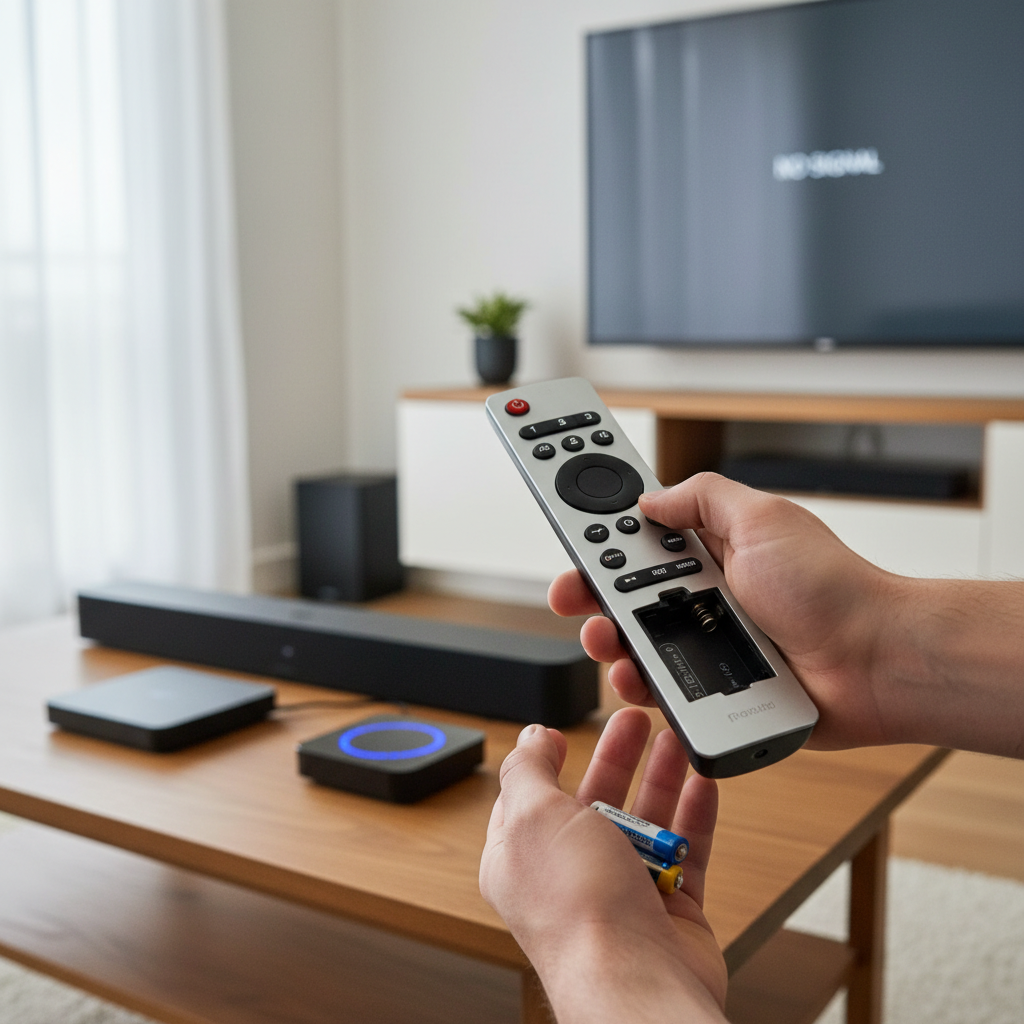
First and foremost, check the batteries. This might seem obvious, but it’s the most common reason for remote control failure. Replace old batteries with fresh, high-quality ones. Ensure they are inserted correctly, matching the positive (+) and negative (-) terminals. Even if the remote occasionally lights up, weak batteries might not provide enough power for consistent signal transmission.
Next, try a hard reset of your remote. Remove the batteries, press and hold each button on the remote for a few seconds to drain any residual power, then reinsert the batteries. This can often clear minor glitches. For IR remotes, ensure there’s a clear line of sight between the remote and the device. Remove any obstacles, such as furniture, plants, or decorative items, that might be blocking the IR signal. Also, ensure the remote control sensor on your device (usually a small, dark window on the front) is clean and free of dust or obstructions.
A simple device power cycle can also work wonders. Unplug the affected device (TV, soundbar, etc.) from the power outlet, wait for 60 seconds, and then plug it back in. This can often reset the device’s internal systems, including its IR receiver, and resolve temporary communication issues.
Specific Solutions for TV Remotes
TV remotes are arguably the most frequently used and, thus, often the first to experience issues. Beyond the general troubleshooting steps, specific problems with TV remotes often involve pairing or signal interference.
If your TV remote uses Bluetooth or RF (common with smart TVs), it might have lost its pairing with the television. Consult your TV’s manual for instructions on how to re-pair the remote. This usually involves holding down specific buttons on the remote while the TV is in a pairing mode. Sometimes, changing the TV’s input source or navigating through its on-screen menu using the physical buttons on the TV itself can help confirm if the TV is responsive or if the issue truly lies with the remote.
Another trick for IR TV remotes is the “camera test.” Point the remote at your smartphone’s camera (front or rear, most work) and press a button. If you see a light blinking on your phone’s screen (it appears purple or white, not visible to the naked eye), the remote is likely sending a signal, indicating the issue might be with the TV’s IR receiver. If you don’t see any light, the remote itself is faulty.
Troubleshooting Universal Remotes and Smart Remotes
Universal remotes and smart remotes often introduce an additional layer of complexity due to their programming and potential connectivity with multiple devices.
For universal remotes, ensure it’s programmed correctly for the specific device you’re trying to control. If it was working previously and suddenly stopped, try resetting it to factory settings and reprogramming it. The codes for various devices can usually be found in the remote’s manual or on the manufacturer’s website. Signal interference can also affect universal remotes, especially if they use RF or Wi-Fi. Try moving the remote closer to the device or temporarily disabling other wireless devices to check for interference.
Smart remotes, which often connect via Wi-Fi or Bluetooth, can benefit from network troubleshooting. Ensure your Wi-Fi network is active and stable if the remote relies on it. For Bluetooth remotes, check if it’s still paired with the device and if the device’s Bluetooth is enabled. Sometimes, a firmware update for the smart remote or the device it controls can resolve connectivity issues. Check the manufacturer’s support page for any available updates.
“Many remote control problems stem from simple oversight. Always start by checking and replacing batteries; it solves more issues than people realize.” – Dr. Elena Petrova, Consumer Electronics Analyst
When to Replace Your Remote or Seek Professional Help
Despite all troubleshooting efforts, sometimes a remote control is simply beyond repair. If you’ve tried all the suggested steps and your remote still isn’t working, it might be time to consider a replacement. Signs that a remote is truly broken include physical damage (e.g., water damage, broken buttons), no response even with new batteries and a clear signal path, or if the camera test (for IR remotes) shows no signal.
Before purchasing a new remote, check if your device manufacturer offers a specific replacement. These are often more reliable than generic universal remotes. Alternatively, consider using a smartphone app that can function as a remote control, especially for smart TVs or streaming devices. This can serve as a temporary or even permanent solution. If you suspect the issue is with the device’s receiver rather than the remote, or if you’re dealing with a complex smart home system, seeking professional technical support might be necessary.
Preventive Measures to Extend Remote Lifespan
To avoid future remote control headaches, adopting a few simple preventive habits can significantly extend your remote’s lifespan and reliability.
Always use good quality batteries and replace them promptly when they start to weaken. Avoid mixing old and new batteries or different battery brands, as this can lead to corrosion or improper function. Keep your remote clean by regularly wiping it down with a soft, dry cloth. Dust, dirt, and spills can accumulate around buttons, causing them to stick or malfunction.
Protect your remote from physical damage. Avoid dropping it, especially on hard surfaces, and keep it away from extreme temperatures or direct sunlight. If you have pets or young children, consider a protective silicone cover for your remote or store it in a designated, safe place. Finally, for IR remotes, ensure the line of sight to the device’s receiver is consistently clear to prevent frustration from perceived “malfunctions.”
Conclusion
A malfunctioning remote control can disrupt your daily routine, but most issues are surprisingly easy to fix. By systematically checking your batteries, ensuring clear signals, and understanding the specific needs of your remote type, you can often restore full functionality in minutes. Regular maintenance and careful handling can also go a long way in preventing future problems. Don’t let a stubborn remote stand between you and your entertainment; empower yourself with these quick troubleshooting tips and take back control. What’s the most common remote control issue you encounter, and how do you typically resolve it?
Frequently Asked Questions
Why does my remote work intermittently or only at close range?
|
Our Picks for the Best LED strip light in 2026
As an Amazon Associate I earn from qualifying purchases.
|
||
| Num | Product | Action |
|---|---|---|
| 1 | DAYBETTER Led Strip Lights 32.8ft Kit with Remote and Power Supply Color Changing |

|
| 2 | NBBUFF Led Lights for Bedroom 50ft (1 Roll), Color Changing RGB Led Strip Lights with 60 Keys Remote and App Control, Music Sync Led Lights for Room Kitchen Party Home Decor |
|
| 3 | Govee White LED Strip Lights, Upgraded 16.4ft Dimmable LED Light Strip 6500K Bright Daylight White, Strong Adhesive, 300 LEDs Flexible Tape Lights for Mirror, Kitchen Cabinet, Bedroom, Christmas Decor |
|
| 4 | dalattin White LED Strip Lights, 20ft Dimmable Super Bright 24V Led Tape Light 6500K 360 LEDs Lights for Bedrooms, Mirror, Kitchen, Home Decoration Daylight White |
|
| 5 | White Led Strip Lights for Bedroom Small Dimmable LED Lights Strip 16.4ft Super Bright Flexible LED Tape Lights Rope Light for for Room Home Decor Luces Leds for Living Room Kitchen Vanity Mirror |
|
| 6 | KSIPZE 100ft Led Strip Lights RGB Music Sync Color Changing Led Lights with Smart App Control Remote Led Lights for Bedroom Room Lighting Flexible Home Décor |
|
| 7 | Govee 100ft RGBIC LED Strip Lights, Smart LED Lights Work with Alexa and Google Assistant, LED Lights for Bedroom WiFi App Control Segmented DIY Multiple Colors, Color Changing Light, (2 x 50ft) |
|
| 8 | Barrina (6 Pack LED T5 Integrated Single Fixture, 4FT, 2200lm, 6500K Super Bright White, 20W Utility LED Shop Light, Ceiling and Under Cabinet Light, Corded Electric with ON/Off Switch, ETL Listed |
|
| 9 | Govee RGBIC LED Strip Lights, Smart LED Lights for Bedroom, Bluetooth LED Lights APP Control, DIY Multiple Colors on One Line, Color Changing LED Strip Lighting Music Sync, Home Decor, 16.4ft |
|
| 10 | DAYBETTER LED Strip Lights 110ft, Smart Lighting Strips with App Remote Control, RGB Music Sync Color Changing Lights for Bedroom Kitchen Party Home Decor Luces led para cuarto (1 Roll) |
|
Intermittent operation or a reduced range often indicates weak batteries. Replace them with fresh ones. It could also be a partially obstructed signal path or minor interference from other electronic devices.
How can I clean sticky buttons on my remote?
Carefully remove the batteries, then use a cotton swab lightly dampened with rubbing alcohol to clean around and under the sticky buttons. Allow it to dry completely before reinserting batteries. Avoid excessive moisture.
My universal remote isn’t controlling all my devices. What should I do?
Ensure your universal remote is correctly programmed for each device. Check the programming codes in the manual or online, and re-enter them. Some universal remotes may not be compatible with all specific device models.
Can a remote control sensor on my TV be faulty?
Yes, the IR receiver on your TV or device can become faulty. If your remote passes the camera test but the TV remains unresponsive after trying all other troubleshooting steps, the receiver is a likely culprit, requiring professional service.
How do I prevent my smart remote from losing its connection?
Ensure your Wi-Fi network is stable and the remote is within range of your router. Regularly check for firmware updates for both the remote and the connected device. Avoid placing other wireless devices too close to the remote or the device’s receiver.