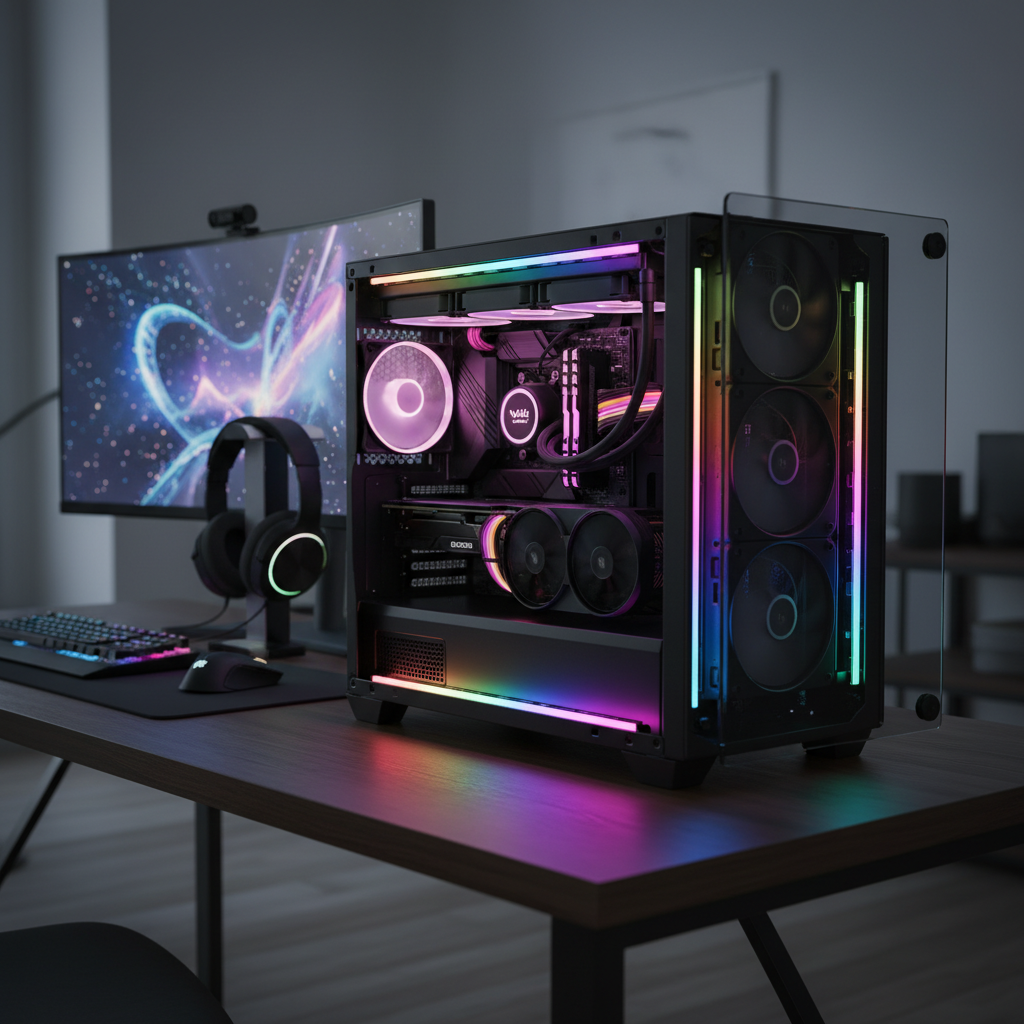
Transforming your PC into a personalized masterpiece is easier than ever, and magnetic LED strip lights are at the forefront of this aesthetic revolution. Gone are the days of dull, uninspired computer builds; today’s technology allows you to infuse vibrant colors and dynamic effects into every corner of your rig. Whether you’re a seasoned modder or a first-time builder, choosing the right lighting can dramatically enhance your gaming experience or workstation’s ambiance. This comprehensive guide will illuminate the path to selecting the perfect magnetic LED strips, ensuring your PC case stands out in 2026 and beyond.
LED Strip Light: Overview and Applications
LED strip lights, at their core, are flexible circuit boards populated with light-emitting diodes (LEDs). For PC cases, these strips are designed to be easily integrated, providing customizable illumination that can highlight components, create ambient glow, or synchronize with on-screen action. Their compact size and low power consumption make them ideal for enhancing the visual appeal of internal PC components without adding significant bulk or heat.
The evolution of PC lighting has been remarkable, transitioning from basic single-color LEDs to sophisticated Addressable RGB (ARGB) systems. Early strips offered a uniform color across the entire length, often controlled by a simple remote or a basic motherboard header. Modern ARGB strips, however, allow for individual control of each LED, opening up a universe of intricate patterns, flowing rainbows, and complex color transitions that truly bring your PC to life.
In the realm of PC case lighting, there are two primary types of LED strips: standard RGB and Addressable RGB (ARGB). Standard RGB (often 12V with a 4-pin connector) can display a wide spectrum of colors, but the entire strip will show only one color at any given moment. In contrast, ARGB (typically 5V with a 3-pin connector) provides granular control over individual LEDs, enabling mesmerizing multi-color effects and dynamic animations. This individual control is what allows for flowing “rainbow” effects or complex color gradients that make your build genuinely unique. Applications range from subtly backlighting your motherboard and GPU to creating dramatic underglow effects that spill onto your desk, enhancing the overall immersion of your setup.
Superior Advantages of Magnetic LED Strip Lights
Magnetic LED strip lights offer a host of benefits that make them a top choice for PC enthusiasts looking to personalize their builds. One of the most compelling advantages is their exceptional ease of installation. Unlike adhesive-backed strips that can lose stickiness over time or require meticulous cleaning for reapplication, magnetic strips simply snap into place on any ferrous metal surface within your PC case. This allows for effortless repositioning and experimentation with different lighting layouts without leaving any residue or damage.
Beyond their simple installation, magnetic LED strips boast the inherent advantages of LED technology itself. They are remarkably energy-efficient, consuming significantly less power than traditional lighting methods while producing vibrant illumination. This efficiency translates to lower heat output within your PC case, which is a crucial consideration for maintaining optimal component temperatures. Furthermore, LEDs are renowned for their impressive longevity, often providing tens of thousands of hours of light before any noticeable degradation. Proper care can extend their lifespan, ensuring your PC remains brilliantly lit for years to come.
The flexibility and versatility of these strips are also major drawcards. They are available in various lengths and can often be cut to size, fitting perfectly into unique contours and spaces within any PC case. With ARGB variants, you gain access to an almost infinite palette of colors and lighting effects. Imagine a calming, cool blue while you’re working, transitioning to an aggressive, fiery red during intense gaming sessions, or even a sophisticated warm white to match your room’s aesthetic. Modern strips, often featuring RGBWW capabilities, include dedicated warm and cool white LEDs, providing a broader range of true white temperatures than traditional RGB alone, ensuring unparalleled color accuracy and versatility. This dynamic capability allows you to tailor your PC’s ambiance to any mood or activity, creating a truly personalized and immersive environment. Safety is another paramount benefit; operating at low voltages, these strips are safe to handle and do not contain hazardous materials like mercury, making them an environmentally friendly choice for your build.
Comparing Popular LED Strip Light Types for PC Cases
Choosing the right LED strip involves understanding the core differences in how they connect and operate. The PC lighting market primarily offers Addressable RGB (ARGB), standard RGB, and proprietary solutions, each with distinct advantages for different user needs. Here’s a comparative look at these options:
| Type | Connection | Control | Key Features | Ideal Use |
|---|---|---|---|---|
| Addressable RGB (5V) | 3-pin (e.g., 5V-D-G) | Motherboard software (Aura Sync, Mystic Light, RGB Fusion), dedicated controllers, apps | Individual LED control, dynamic multi-color effects, precise customization, cool & warm white options (RGBWW) | Custom, synchronized setups with complex, flowing lighting effects and advanced color accuracy |
| Standard RGB (12V) | 4-pin (e.g., 12V-G-R-B) | Motherboard software, basic controllers, remotes | Single color displayed across the entire strip at once, basic static or cycling effects | Simple, uniform color schemes; budget-friendly builds; users preferring less complexity |
| Proprietary Ecosystems | Vendor-specific connectors | Manufacturer’s dedicated software (e.g., Corsair iCUE, NZXT CAM, Lian Li L-Connect) | Advanced integration with other components from the same brand, unique effects, simplified setup within a single ecosystem | Users committed to a single brand for all RGB components; desire for seamless, in-depth synchronization across a full build |
ARGB strips, with their 5V 3-pin connectors, are typically the preferred choice for enthusiasts seeking intricate lighting. They enable effects like “rainbow waves” or individual LED programming, offering a level of customization that standard RGB (12V 4-pin) cannot match. Standard RGB strips are simpler and more affordable, suitable for those who want a consistent color accent without complex animations.
Proprietary systems from brands like Corsair and NZXT offer seamless integration and advanced features within their own hardware ecosystems. However, this often comes with proprietary connectors that may require adapters to work with other brands, potentially limiting interoperability. “While these closed ecosystems can simplify setup for brand-loyal users, it’s crucial to be aware of their limitations when mixing hardware,” notes Antony Leather, an expert PC modder at PCGamesN. Ultimately, your choice will hinge on your desired level of control, aesthetic preferences, and willingness to manage different hardware and software ecosystems.
Essential Buying Guide for Magnetic LED Strips
Navigating the market for magnetic LED strips can be overwhelming, but a clear understanding of your needs and the available features will simplify the process. Here’s a guide to help you make an informed decision:
First, determine your aesthetic vision and functional needs. Are you aiming for a subtle accent, a vibrant light show, or functional lighting to highlight specific components? Consider where the strips will be placed within your PC case. Do you want diffused light for a soft glow, or bright, direct illumination? Your intended use will dictate the necessary brightness, length, and features.
Next, prioritize compatibility. This is paramount. Most modern motherboards include either 5V 3-pin ARGB or 12V 4-pin RGB headers (or both). Ensure your chosen LED strip matches your motherboard’s header type to enable software control (like ASUS Aura Sync, MSI Mystic Light, Gigabyte RGB Fusion). If your motherboard lacks the desired header, look for kits that include a dedicated controller, often powered by a SATA connection, which can manage effects independently. Be mindful of proprietary connectors from brands like Corsair or NZXT; while excellent within their ecosystems, they may require specific adapters if you plan to mix and match.
Evaluate key features.
- Brightness and LED Density: Higher LED density per meter generally results in smoother, more continuous light. Consider lumens per meter for brightness, but also think about if it’s too bright and overwhelming for your build.
- Diffusion: For a professional, continuous light effect without visible hot spots, look for strips with diffusers or COB (Chip-on-Board) technology. Phanteks Neon Digital RGB strips are a great example of products offering this sought-after diffused look, allowing you to bend them around components for a seamless appearance.
- Color Accuracy and White Tones: ARGB strips with RGBWW (RGB + Warm White + Cool White) diodes provide superior color blending and a wider range of true white temperatures, which is excellent for versatile setups. The Govee Strip Light 2 Pro is noted for its ability to adjust between 2700-6500K.
- Length and Flexibility: Measure your PC case to determine the required length. Many strips are cuttable at marked points, offering flexibility for custom fitting.
- Control Options: Do you prefer motherboard software, a physical remote, or a mobile app? Many premium strips offer multiple control methods for convenience.
Finally, assess product quality and value. Invest in reputable brands known for durability and reliable performance. Check user reviews for feedback on magnet strength, LED quality, and software stability. While 2026-specific models are still emerging, focusing on brands that consistently deliver high-quality products with robust feature sets, such as Govee or Phanteks, will serve you well. Compare prices across different suppliers and consider bundles that include controllers or additional accessories to maximize value.
Leading Brands in PC Case Lighting
The PC case lighting market is vibrant, with several manufacturers consistently delivering high-quality and innovative magnetic LED strips. While specific “best” models for 2026 are still being unveiled, understanding the strengths of leading brands will guide your choices.
Govee is rapidly gaining recognition for its comprehensive range of smart lighting solutions, including high-performance light strips. Their products often feature robust app control via Wi-Fi and Bluetooth, offering extensive customization and scene-setting options. The Govee Strip Light 2 Pro, for instance, is praised for its exceptional color range, including dedicated warm and cool white LEDs (RGBWW), allowing for precise temperature adjustments from 2700K to 6500K. This makes it ideal for users who prioritize accurate white lighting alongside vibrant RGB. Govee strips are also known for sound responsiveness and often include numerous cut points for tailored installation.
Phanteks has a strong reputation within the PC enthusiast community for producing aesthetically pleasing and functional lighting. Their Neon Digital RGB LED strips are particularly popular for their seamless, diffused lighting effect, which cleverly hides individual LED dots to provide a continuous glow. This creates a very clean and modern look, perfect for those who dislike visible LED hot spots. Phanteks often integrates magnetic mounting directly into their designs, making installation straightforward on steel cases. They also frequently offer compatibility with major motherboard RGB ecosystems.
Corsair is a dominant force in PC components and peripherals, and their iCUE ecosystem extends to their LED strips and controllers. Corsair’s products are known for their premium build quality and deep integration within their iCUE software, allowing for synchronized lighting across a wide array of Corsair devices—from fans and RAM to keyboards and mice. While their strips often use proprietary connectors, adapters are sometimes available, and the iCUE software provides a highly polished and feature-rich control experience.
NZXT also offers an integrated lighting ecosystem through its CAM software. Their solutions, like the NZXT Hue series, provide comprehensive control over lighting effects and synchronization. Similar to Corsair, NZXT strips typically feature proprietary connectors, emphasizing a streamlined experience for users who build entirely within their brand’s ecosystem. Their magnetic strips are generally robust and easy to install, contributing to a clean internal aesthetic.
Other notable brands include Lian Li, famous for their Strimer Plus cables that integrate RGB lighting directly into power cables, and Cooler Master, who offer a range of RGB accessories, including magnetic strips compatible with various motherboard sync technologies. When considering any brand, look for a strong magnetic hold, durable construction, intuitive control software, and compatibility with your existing or planned PC components to ensure a cohesive and stunning lighting setup.
Installation Tips and Best Practices for Magnetic LED Strips
Installing magnetic LED strips in your PC case is generally straightforward, offering unmatched flexibility for customization. However, following a few best practices will ensure a safe, clean, and visually stunning result.
1. Pre-Installation Planning: Before you even unbox your strips, plan your layout. Hold the strips inside your case to visualize the path, considering where cables will be routed and what components you want to highlight or hide. Magnetic strips excel here as they allow for easy experimentation without commitment. Think about how the light will diffuse or reflect off your components and case interior.
2. Prioritize Electrical Safety and Compatibility: Always ensure the LED strips’ voltage (usually 5V for ARGB or 12V for standard RGB) matches the header on your motherboard or dedicated controller. Connecting a 5V strip to a 12V header will almost certainly damage the strip. Pay close attention to connector types (e.g., 3-pin ARGB vs. 4-pin RGB) and avoid forcing incompatible connectors. Many 3-pin ARGB headers have a blocked pin to prevent incorrect connections, which is a helpful safety feature. If you’re using proprietary strips, always use the manufacturer’s specified controller.
3. Leverage Magnetic Mounting: The primary advantage of magnetic strips is their ease of mounting. Simply place them on any steel surface within your case. For areas where the magnetic hold might be less secure, or for non-ferrous surfaces, many magnetic strips also come with optional adhesive backing or plastic clips. These can be used to reinforce placement or route strips along non-magnetic parts of your case, ensuring they stay exactly where you want them.
4. Master Cable Management: Even with magnetic strips, cables are inevitable. To achieve a clean look, route cables along the back of the motherboard tray, behind drive cages, or through rubber grommets. Many strips are designed for daisy-chaining, which significantly reduces the number of cables running to your motherboard or controller. Take advantage of this feature to minimize clutter and simplify wire organization. Tools like zip ties or Velcro straps can also be invaluable for securing excess cabling.
5. Optimal Placement for Visual Impact: Strategic placement is key to achieving your desired lighting effect.
- Subtle Glow: For ambient lighting, place strips along the top or front edges of your case, angled to illuminate components without being directly visible. This creates a soft, diffused glow that enhances the aesthetic without harsh glare.
- Highlight Components: Position strips directly above or below specific components like your GPU, CPU cooler, or RAM to draw attention to them.
- Diffused Effects: If you prefer a continuous light line, place diffused strips at the rear of the case, shining forward, or along edges where the light can bounce off surfaces. Strips with a rigid, diffused design (like some Phanteks Neon models) can be bent around corners and provide a more uniform light bar appearance.
- Avoiding Glare: Try to avoid placing bright, direct LED strips where they might shine directly into your eyes through a side panel. Experiment with angles to bounce light off internal surfaces.
Ultimately, PC case lighting is about personal expression. Don’t be afraid to experiment with different placements and effects. Magnetic strips make this iterative process incredibly simple, allowing you to refine your setup until it perfectly reflects your style.
Conclusion
Magnetic LED strip lights have undeniably revolutionized PC aesthetics, offering an unparalleled blend of versatility, ease of installation, and vibrant customization. As we look towards 2026, the emphasis remains on smart integration, dynamic addressable effects, and seamless user experience. By prioritizing factors like ARGB compatibility, robust control options, and the quality of diffusion, you can select magnetic LED strips that not only transform your PC into a captivating visual centerpiece but also stand the test of time.
Whether you’re aiming for a minimalist glow or an explosive light show, the perfect magnetic LED strips are out there to help you express your unique style. Ready to light up your build and make a statement? Explore the latest innovations and let your creativity shine! What kind of lighting masterpiece will you create with your next PC build?
Câu Hỏi Thường Gặp
What is the main difference between RGB and ARGB LED strips for PC cases?
|
Our Picks for the Best LED strip light in 2026
As an Amazon Associate I earn from qualifying purchases.
|
||
| Num | Product | Action |
|---|---|---|
| 1 | White Led Strip Lights for Bedroom Small Dimmable LED Lights Strip 16.4ft Super Bright Flexible LED Tape Lights Rope Light for for Room Home Decor Luces Leds for Living Room Kitchen Vanity Mirror |

|
| 2 | dalattin White LED Strip Lights, 20ft Dimmable Super Bright 24V Led Tape Light 6500K 360 LEDs Lights for Bedrooms, Mirror, Kitchen, Home Decoration Daylight White |
|
| 3 | KSIPZE 100ft Led Strip Lights RGB Music Sync Color Changing Led Lights with Smart App Control Remote Led Lights for Bedroom Room Lighting Flexible Home Décor |
|
| 4 | DAYBETTER Led Strip Lights 32.8ft Kit with Remote and Power Supply Color Changing |
|
| 5 | NBBUFF Led Lights for Bedroom 50ft (1 Roll), Color Changing RGB Led Strip Lights with 60 Keys Remote and App Control, Music Sync Led Lights for Room Kitchen Party Home Decor |
|
| 6 | Govee White LED Strip Lights, Upgraded 16.4ft Dimmable LED Light Strip 6500K Bright Daylight White, Strong Adhesive, 300 LEDs Flexible Tape Lights for Mirror, Kitchen Cabinet, Bedroom, Christmas Decor |
|
| 7 | Govee RGBIC LED Strip Lights, Smart LED Lights for Bedroom, Bluetooth LED Lights APP Control, DIY Multiple Colors on One Line, Color Changing LED Strip Lighting Music Sync, Home Decor, 16.4ft |
|
| 8 | Barrina (6 Pack LED T5 Integrated Single Fixture, 4FT, 2200lm, 6500K Super Bright White, 20W Utility LED Shop Light, Ceiling and Under Cabinet Light, Corded Electric with ON/Off Switch, ETL Listed |
|
| 9 | DAYBETTER LED Strip Lights 110ft, Smart Lighting Strips with App Remote Control, RGB Music Sync Color Changing Lights for Bedroom Kitchen Party Home Decor Luces led para cuarto (1 Roll) |
|
| 10 | Govee 100ft RGBIC LED Strip Lights, Smart LED Lights Work with Alexa and Google Assistant, LED Lights for Bedroom WiFi App Control Segmented DIY Multiple Colors, Color Changing Light, (2 x 50ft) |
|
The key difference lies in control: RGB (Red, Green, Blue) strips typically use a 12V 4-pin connector and display one single color across the entire strip at any given time. ARGB (Addressable RGB) strips, usually with a 5V 3-pin connector, allow individual control of each LED, enabling dynamic multi-color effects like rainbows and flowing patterns for more complex customizations.
Are magnetic LED strips safe to use inside a PC case?
Yes, magnetic LED strips are very safe. They operate on low voltage (typically 5V or 12V DC), which minimizes electrical risk. The magnetic attachment method eliminates the need for potentially messy adhesives or permanent modifications, making them easy to install, reposition, and remove without damaging your case or components.
Do all magnetic LED strips work with any motherboard?
Not all magnetic LED strips are universally compatible. You need to match the strip’s connector type and voltage (e.g., 5V 3-pin ARGB or 12V 4-pin RGB) with the corresponding headers on your motherboard. Some brands also use proprietary connectors that require their specific controllers, so always check compatibility before purchasing.
How do I control the lighting effects of my LED strips?
Control methods vary: many strips connect directly to motherboard RGB/ARGB headers and are controlled via motherboard software (like ASUS Aura Sync, MSI Mystic Light, Gigabyte RGB Fusion). Other strips come with dedicated controllers that can be managed by physical buttons, remote controls, or smartphone apps, especially if your motherboard lacks the necessary headers.
Can I cut magnetic LED strips to fit my PC case?
Most LED strips, including magnetic ones, are designed to be cuttable at designated points. These points are typically marked with a scissor icon or copper pads. Always cut only at these specified locations to avoid damaging the circuit and rendering parts of the strip inoperable. Ensure your measurements are accurate before cutting.
What are “diffused” LED strips and why are they recommended for PC cases?
Diffused LED strips feature a frosted or opaque covering that scatters the light, making individual LED dots less visible and creating a smooth, continuous glow. They are highly recommended for PC cases because they provide a more professional, uniform aesthetic, reducing harsh hot spots and producing a softer, more premium lighting effect that enhances components without distracting glare.
Is it worth investing in RGBWW LED strips for my PC?
Investing in RGBWW (RGB + Warm White + Cool White) LED strips is highly recommended if you desire precise control over white light temperatures. These strips contain dedicated white diodes, allowing you to achieve a wide range of natural-looking cool to warm whites, which standard RGB strips often struggle to reproduce accurately. This versatility enhances both aesthetic customization and practical lighting scenarios.