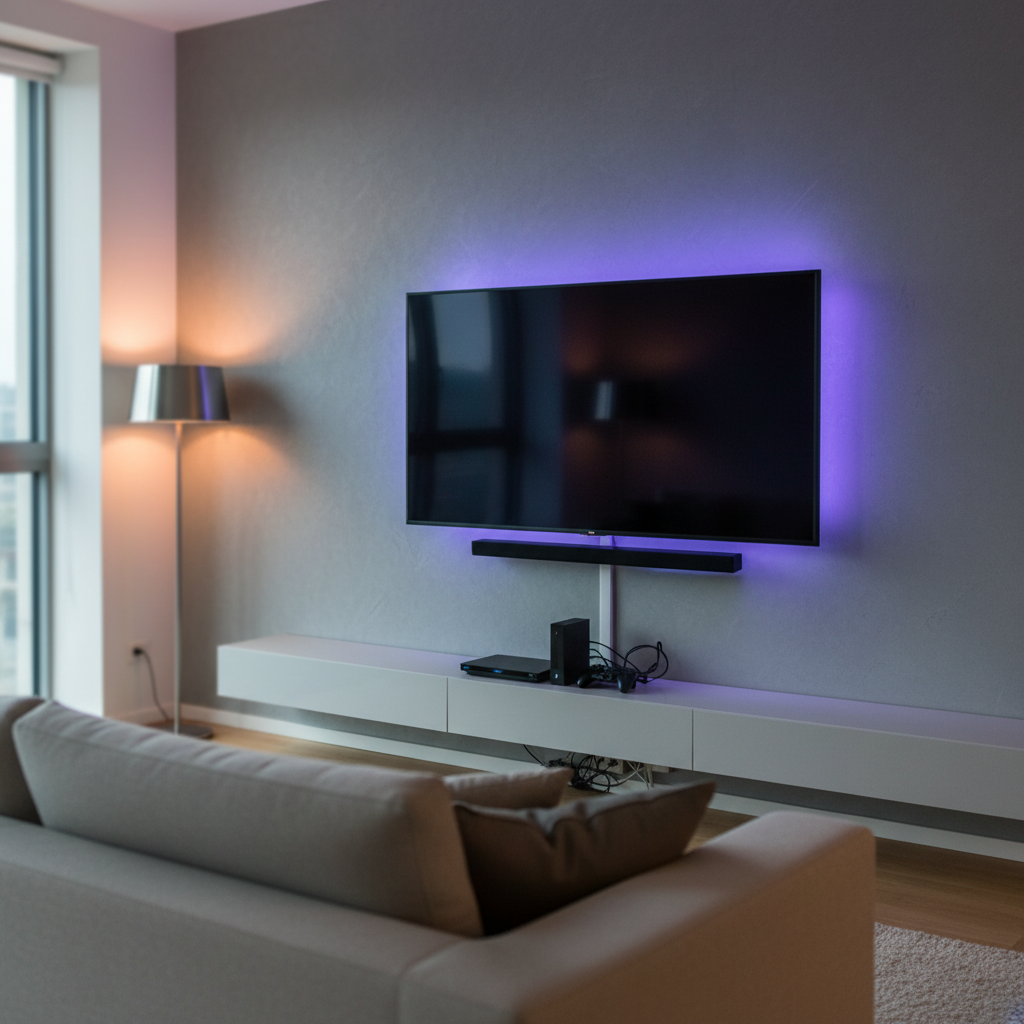
Transforming your living space into a modern, immersive entertainment hub often involves sleek, minimalist designs. A floating TV setup, free from bulky stands and visible wires, is a cornerstone of this aesthetic. But to truly elevate the experience, nothing quite compares to the subtle, vibrant glow of LED strip lights installed discreetly behind your floating television. This guide, drawing on extensive experience with LED technology, will walk you through everything you need to know, from selecting the perfect lights to a seamless installation, ensuring your home theater not only looks sophisticated but also enhances your viewing comfort.
LED Strip Light: Overview and Applications for Your Floating TV Setup
LED strip lights, also known as LED tape lights, are flexible circuit boards populated with surface-mounted light-emitting diodes (LEDs). They typically come with an adhesive backing, allowing for easy installation on various surfaces. For a floating TV setup, these lights are primarily used as “bias lighting” or “backlighting,” casting a soft glow onto the wall behind the screen. This creates a captivating “halo” effect that visually expands your display and adds a layer of modern sophistication to your room.
The primary application behind a floating TV is to enhance the viewing experience. Beyond aesthetics, they play a crucial role in reducing eye strain, especially during prolonged viewing in dimly lit rooms. Different types are available, including single-color strips (like the beneficial 6500K white bias lighting), RGB (Red, Green, Blue) strips for a spectrum of colors, and RGBIC strips which allow for multiple colors to be displayed on a single strip simultaneously, offering more dynamic effects. These lights often operate on low voltage (12V or 24V) and can be powered conveniently via USB or a dedicated power supply.
Superior Advantages of Backlighting Your Floating TV
Integrating LED strip lights behind your floating TV offers a multitude of benefits that go beyond mere decoration. Understanding these advantages can help you appreciate the value this simple addition brings to your home entertainment.
Reduced Eye Strain and Enhanced Viewing Comfort
|
Our Picks for the Best LED strip light in 2026
As an Amazon Associate I earn from qualifying purchases.
|
||
| Num | Product | Action |
|---|---|---|
| 1 | DAYBETTER Led Strip Lights 32.8ft Kit with Remote and Power Supply Color Changing |

|
| 2 | White Led Strip Lights for Bedroom Small Dimmable LED Lights Strip 16.4ft Super Bright Flexible LED Tape Lights Rope Light for for Room Home Decor Luces Leds for Living Room Kitchen Vanity Mirror |
|
| 3 | DAYBETTER LED Strip Lights 110ft, Smart Lighting Strips with App Remote Control, RGB Music Sync Color Changing Lights for Bedroom Kitchen Party Home Decor Luces led para cuarto (1 Roll) |
|
| 4 | Govee 100ft RGBIC LED Strip Lights, Smart LED Lights Work with Alexa and Google Assistant, LED Lights for Bedroom WiFi App Control Segmented DIY Multiple Colors, Color Changing Light, (2 x 50ft) |
|
| 5 | KSIPZE 100ft Led Strip Lights RGB Music Sync Color Changing Led Lights with Smart App Control Remote Led Lights for Bedroom Room Lighting Flexible Home Décor |
|
| 6 | Govee White LED Strip Lights, Upgraded 16.4ft Dimmable LED Light Strip 6500K Bright Daylight White, Strong Adhesive, 300 LEDs Flexible Tape Lights for Mirror, Kitchen Cabinet, Bedroom, Christmas Decor |
|
| 7 | NBBUFF Led Lights for Bedroom 50ft (1 Roll), Color Changing RGB Led Strip Lights with 60 Keys Remote and App Control, Music Sync Led Lights for Room Kitchen Party Home Decor |
|
| 8 | Govee RGBIC LED Strip Lights, Smart LED Lights for Bedroom, Bluetooth LED Lights APP Control, DIY Multiple Colors on One Line, Color Changing LED Strip Lighting Music Sync, Home Decor, 16.4ft |
|
| 9 | Barrina (6 Pack LED T5 Integrated Single Fixture, 4FT, 2200lm, 6500K Super Bright White, 20W Utility LED Shop Light, Ceiling and Under Cabinet Light, Corded Electric with ON/Off Switch, ETL Listed |
|
| 10 | dalattin White LED Strip Lights, 20ft Dimmable Super Bright 24V Led Tape Light 6500K 360 LEDs Lights for Bedrooms, Mirror, Kitchen, Home Decoration Daylight White |
|
One of the most significant advantages of bias lighting is its ability to combat eye strain. When watching a bright screen in a dark room, your pupils constantly dilate and contract to adjust to the stark contrast between the screen and its surroundings. This continuous adjustment can lead to fatigue, dry eyes, headaches, and even blurred vision. By introducing a subtle ambient light behind the TV, the contrast is softened, creating a more comfortable viewing environment. For optimal eye comfort, a neutral white light (around 6500K) is often recommended as it provides an accurate perception of colors on screen without introducing color shifts.
Creating Dynamic Ambiance and Modern Aesthetics
LED strip lights are unparalleled in their ability to set a mood. Whether you’re hosting a lively movie night, enjoying a quiet evening with a documentary, or immersing yourself in a gaming session, the right lighting can dramatically transform the atmosphere. With options for millions of colors and dynamic lighting effects, you can customize the ambiance to match your content or your mood. For a floating TV, the backlight emphasizes the clean lines and contemporary design, giving your setup a polished, high-end look.
Energy Efficiency and Longevity
LED technology is renowned for its energy efficiency. Compared to traditional incandescent bulbs, LED strip lights consume significantly less power, translating to lower electricity bills. They also boast an impressively long lifespan, often thousands of hours, meaning you won’t need to worry about frequent replacements. This durability makes them a smart, long-term investment for your home.
Flexibility and Customization
The inherent flexibility of LED strips allows them to be easily shaped and fitted to the contours of your TV, regardless of its size or the specific mounting style. Many modern LED strips come with smart features, offering control via smartphone apps, voice commands through smart assistants (like Alexa or Google Assistant), or dedicated remotes. This level of customization allows you to adjust brightness, change colors, set schedules, or even sync lights with music or screen content, providing an interactive and personalized experience.
Choosing the Right LED Strip Lights for a Floating TV
Selecting the ideal LED strip lights is crucial for achieving the desired effect and ensuring a smooth installation behind your floating TV. Consider these key factors to make an informed decision:
| Feature | Low Voltage (12V/24V) | USB Powered (5V) | RGB (Single Color) | RGBIC (Multiple Colors) | Bias Lighting (6500K White) | Smart Features |
|---|---|---|---|---|---|---|
| Voltage | Requires AC adapter | Plugs directly into TV/USB hub | N/A | N/A | N/A | N/A |
| Power | More consistent power | May require external hub for long strips | N/A | N/A | N/A | N/A |
| Color | N/A | N/A | Solid colors | Multi-color segments, dynamic effects | Neutral white | App control, voice commands |
| Brightness | Often brighter options | Sufficient for most TVs | Consistent | Can vary per segment | Soft, even glow | Dimmable control |
| Features | Longer runs, more power options | Simplest setup, minimal wiring | Simple color change | Advanced animations, immersive sync | Reduces eye strain, color accuracy | Integration with smart home systems |
| Use Case | Larger TVs, custom setups | Smaller/medium TVs, simple setup | Basic accent lighting | Dynamic, engaging displays | Eye comfort, professional look | Seamless home automation |
Length and Coverage
Measure the perimeter of your TV where you intend to install the lights. Most recommendations suggest placing the strips about 1 inch (2.5 cm) from the edge of the TV to create a diffused “halo” effect rather than seeing individual LEDs. LED strips are typically sold in various lengths and can usually be cut at designated points (marked by a scissor icon) to fit your specific TV size perfectly. Ensure the strip you choose is long enough for your TV or can be extended with connectors.
Color and Brightness
Decide if you want a fixed color, multi-color options, or a bias lighting setup.
- RGB/RGBIC: These offer a spectrum of colors and dynamic effects, ideal for creating mood lighting or syncing with content. RGBIC technology allows for more complex patterns with individually addressable LEDs.
- Bias Lighting: A dedicated white light, usually 6500K, is specifically designed to reduce eye strain and improve perceived color accuracy of your TV’s picture. It’s less about dynamic effects and more about optimal viewing comfort.
- Brightness: Look for dimmable options so you can adjust the intensity to your preference, regardless of the light type. Higher wattage strips (14-19W) can offer more vibrancy but should also be dimmable for flexibility.
Power Source
Consider how you will power the LED strips.
- USB Powered (5V): Many LED strips designed for TV backlighting can plug directly into a TV’s USB port. However, some TV USB ports might not provide enough power for longer or denser strips (e.g., 60 LEDs per meter), potentially leading to dimness or flickering. In such cases, an external 5V 2A-5A USB wall adapter or a powered USB hub is a better choice.
- Dedicated Power Supply (12V/24V): These systems offer more consistent power and are suitable for larger installations or brighter strips. They require a separate AC-to-DC adapter.
- Integrated Floating TV Stands: Some floating TV stands come with built-in power outlets and USB ports, offering a very clean and convenient power solution.
Adhesion and Durability
Most LED strips come with a pre-applied adhesive backing (e.g., 3M tape). While convenient, the heat generated by the TV can sometimes degrade this adhesive over time, causing the strips to fall off. For enhanced durability, consider:
- Plastic Cable Clips: These small, transparent clips with their own adhesive provide a more secure and long-lasting hold, especially on a warm TV surface.
- Contact Cement: For a more permanent solution, applying contact cement can ensure the strips remain firmly in place.
Smart Features and Connectivity
Modern LED strips offer a range of smart features:
- App Control: Manage colors, brightness, and effects from your smartphone.
- Voice Control: Integrate with smart home assistants like Amazon Alexa, Google Assistant, or Apple HomeKit.
- Music/Content Syncing: Some advanced strips can synchronize their lighting effects with audio or on-screen visuals for a truly immersive experience.
Step-by-Step Installation: How to Install LED Strips Behind Your Floating TV & Usage Tips
Installing LED strip lights behind your floating TV is a satisfying DIY project that can significantly upgrade your home entertainment. Follow these steps for a clean and professional result.
Gather Your Tools and Materials
Before you begin, ensure you have everything on hand:
- LED Strip Lights: The correct length and type for your TV.
- Measuring Tape: To accurately measure your TV.
- Cleaning Supplies: Isopropyl alcohol or screen cleaner and a microfibre cloth.
- Scissors: For cutting LED strips at marked points (if needed).
- Connectors (Optional): L-shaped connectors for corners or extension cables.
- Adhesive Enhancers (Recommended): Plastic cable clips or contact cement for better adhesion.
- Cable Ties/Velcro Straps: For neat cable management.
- Power Source: USB hub, wall adapter, or a TV USB port.
Prepare Your TV and Workspace
- Unroll the Strip Lights: Gently unroll your LED strips on a large, flat surface. This helps them relax and prevents kinks.
- Clean the Back of Your TV: This is a critical step. Use isopropyl alcohol or a screen cleaner on a microfibre cloth to thoroughly clean the back perimeter of your TV. Dust, grease, and grime can prevent the adhesive from sticking properly. Let it dry completely.
Plan the Layout
- Measure and Mark: Measure the perimeter of your TV, paying attention to any curves or obstacles. Most installers aim for the strips to be about 1 inch (2.5 cm) in from the edge of the TV. You can lightly mark the path with a pencil or painter’s tape to guide your placement. For a floating TV stand, you might also consider placing a strip horizontally along the back of the stand, 5-10 cm from the wall, to create an elegant “upwash” effect.
- Corner Strategy: Decide how you’ll handle corners. You can carefully bend the strip (ensure you don’t bend over an LED chip or resistor) or use L-shaped connectors for a cleaner, sharper turn. Some strips are designed for bending without connectors at specific points.
- Power Connection Point: Identify where the power cable will exit the strip and connect to your power source. Plan your layout so this connection point is discreet and easily managed.
Secure the LED Strips
- Peel and Stick: Starting from your chosen power connection point, peel off a small section of the adhesive backing from the LED strip. Carefully align the strip with your planned path and press it firmly onto the clean TV surface. Work in small sections, peeling and sticking as you go, applying consistent pressure to ensure good adhesion.
- Reinforce Adhesion: As mentioned, TV heat can weaken adhesive. For long-term security, especially behind a TV, augment the strip’s adhesive with plastic cable clips. Place these clips strategically along the strip, particularly at corners and along longer runs. If using contact cement, apply a thin layer to both the strip and the TV back, let it become tacky, then press firmly.
- Making Corners: If bending, gently fold the strip at a 90-degree angle, making sure not to damage internal components. If using L-shaped connectors, cut the strip at the designated cut mark, insert the ends into the connector, and ensure a secure connection.
Connect to Power
- Plug In: Connect the LED strip’s power cable to your chosen power source (TV USB port, USB hub, or wall adapter).
- Cable Management: This is crucial for a clean floating TV setup. Use cable ties or Velcro straps to bundle any excess wiring neatly. Route cables along the TV mount, through cable management channels in your floating TV stand, or directly into the wall if your setup allows. The goal is to make all wires invisible from the front. If your floating TV stand has built-in power outlets and USB ports, utilize these to minimize external wiring.
Test and Fine-Tune
- Power On: Turn on your TV and the LED lights.
- Adjust Settings: Use the remote or app to test different colors, brightness levels, and effects. Adjust until you find the perfect ambiance for your viewing preferences.
- Check for Hot Spots: Ensure the light is evenly diffused and not creating any distracting bright spots or shadows. Reposition if necessary.
Maximizing Your Setup: Tips for a Seamless Floating TV and LED Experience
Achieving a truly integrated and long-lasting LED strip light setup behind your floating TV involves a few expert tips for seamless operation and maintenance.
Cable Management Best Practices
The essence of a floating TV is its clean, wireless look.
- Utilize Floating Stand Features: Many modern floating TV stands come equipped with built-in cable management holes, channels, and even integrated power strips with USB ports. Leverage these to hide all power cords and connection wires for both the TV and the LED strips.
- Behind the Mount: Route any remaining cables along the TV wall mount itself, securing them with zip ties or Velcro.
- In-Wall Solutions: For the ultimate clean look, consider running power and display cables through the wall, though this may require professional installation or more advanced DIY skills.
Maintaining Your LED Strips
- Cleaning: Periodically dust the LED strips and the area behind your TV to maintain optimal light output and prevent dust buildup from affecting performance.
- Adhesion Check: Every few months, gently press along the LED strips to ensure they are still firmly attached. Re-secure with clips or a fresh dab of adhesive if needed.
- Troubleshooting Common Issues:
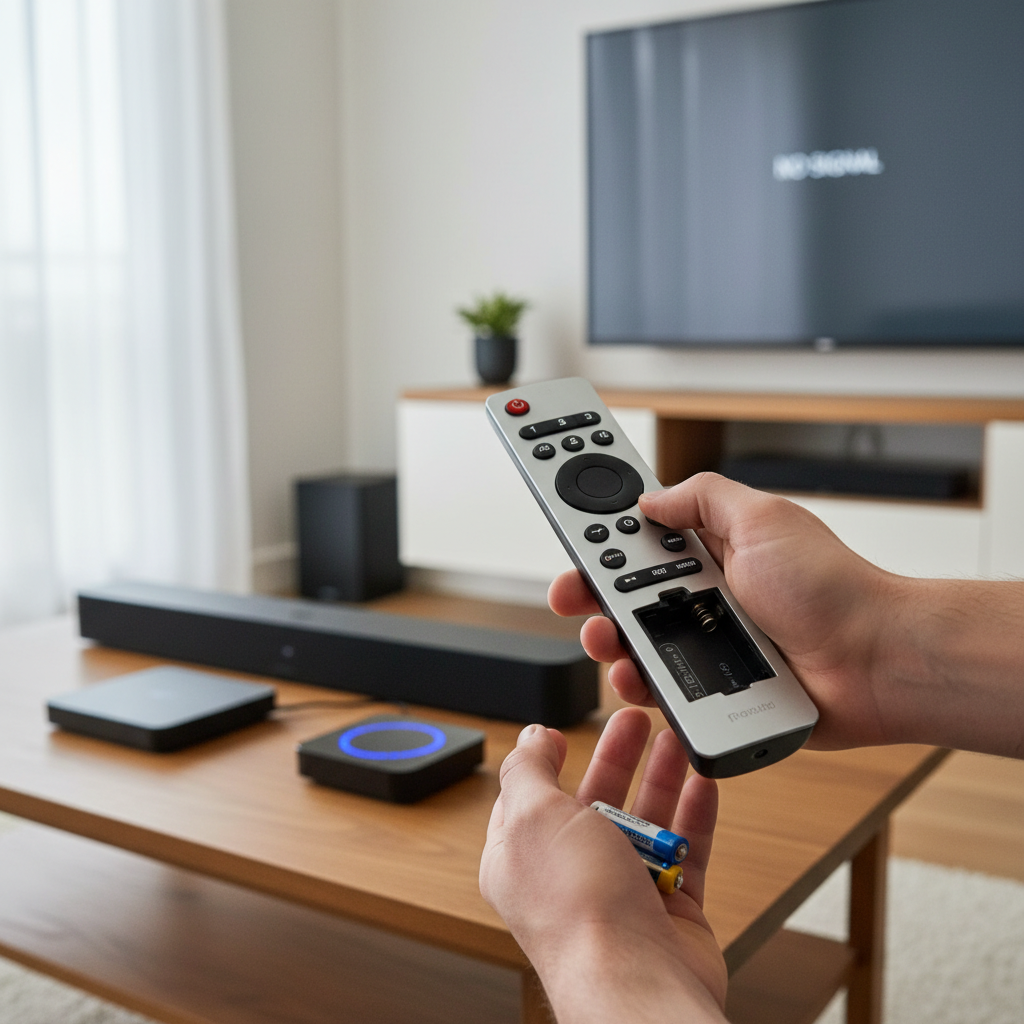
- Lights not turning on: Check all power connections, ensure the power source (TV USB, wall adapter) is active, and verify remote batteries.
- Flickering: Could indicate an insufficient power supply (especially for USB-powered strips). Try a different USB port or a more powerful wall adapter.
- Sections not lighting up: This might indicate a faulty segment or a loose connection within a connector. Inspect carefully.
Integrating with Smart Home Systems
For ultimate convenience, connect your smart LED strips to your existing smart home ecosystem (e.g., Apple HomeKit, Google Home, Amazon Alexa). This allows for:
- Voice Control: “Alexa, turn on TV backlights.”
- Automation: Set routines for lights to turn on when your TV is powered up, or change color based on the time of day.
- Remote Control: Manage your lighting from anywhere using your smartphone app.
“The subtle glow of bias lighting not only adds a touch of modern elegance but fundamentally improves visual comfort, making extended viewing sessions more enjoyable and less fatiguing for your eyes.” – Dr. Alex Thorne, Ergonomics & Visual Health Specialist
Reputable LED Strip Light Brands for TV Backlighting
When investing in LED strip lights for your floating TV, choosing a reputable brand can ensure quality, reliability, and access to smart features. Some leading brands in the market include:
- Govee: Widely recognized for their innovative RGBIC technology, smart features, and comprehensive range of TV backlighting kits, including those with cameras for real-time screen syncing. They offer excellent value and a variety of options for different budgets.
- Philips Hue: A premium brand known for its robust smart home integration, high-quality light output, and seamless connectivity with a vast ecosystem of smart lighting products. Their TV light strips often integrate with a Philips Hue Sync Box for advanced content syncing.
- Aqara: Offers Matter-compatible LED strips, making them highly versatile for integration into various smart home platforms like Apple HomeKit, Alexa, and Google Assistant. They provide strong reliability and ease of use within a smart home setup.
- Scenic Labs: Specializes in dedicated bias lighting solutions, focusing on optimal 6500K white light for eye comfort and improved picture perception. They are often recommended by video enthusiasts for critical viewing environments.
These brands consistently deliver products with good brightness, color accuracy, durable construction, and user-friendly smart features, ensuring a satisfying experience for your floating TV setup.
Conclusion
Installing LED strip lights behind your floating TV is a relatively simple upgrade that delivers significant aesthetic and practical benefits. From dramatically reducing eye strain to creating an immersive, customizable ambiance, these versatile lights elevate your entertainment space to a new level of sophistication. By carefully selecting the right type of LED strip, meticulously following the installation steps, and implementing smart cable management, you can achieve a clean, modern look that seamlessly integrates with your floating TV design. Embrace the transformation and enjoy a viewing experience that is both visually stunning and comfortably captivating.
What kind of unique lighting effects will you create to personalize your ultimate home theater?
Frequently Asked Questions
What kind of LED strips are best for behind a floating TV?
For behind a floating TV, RGBIC LED strips are popular for dynamic color effects, while 6500K white bias lighting is recommended for reducing eye strain and enhancing perceived picture quality. Consider USB-powered options for easy integration, ensuring your TV’s USB port or an external hub can supply sufficient power.
How do I hide the wires for LED strips behind a floating TV?
To hide wires, utilize the cable management features often built into floating TV stands, such as internal channels or integrated power outlets. Route any remaining cables along the TV mount, securing them with ties, or consider in-wall cable routing for the cleanest possible look.
Can LED strips reduce eye strain when watching TV?
Yes, LED strips used as bias lighting (a neutral light source behind the TV) can significantly reduce eye strain. They soften the contrast between the bright TV screen and a dark room, preventing your eyes from constantly readjusting and leading to a more comfortable viewing experience.
How do I make LED strips stick permanently to the back of my TV?
While most LED strips come with adhesive, the heat from the TV can cause them to peel over time. To ensure permanent adhesion, it is highly recommended to use additional plastic cable clips or a thin application of contact cement along the strip. Always clean the TV’s surface thoroughly before application.
What power source should I use for TV LED backlighting?
Many LED strips can be powered via your TV’s USB port (5V). However, for longer or brighter strips, a dedicated 5V 2A-5A USB wall adapter or a powered USB hub is often more reliable to prevent dimness or flickering. Some floating TV stands also feature built-in USB outlets.
Can I cut LED strip lights to fit my TV?
Yes, most LED strip lights are designed to be cuttable at specific, marked intervals, usually indicated by a scissor icon. Always cut precisely at these points to avoid damaging the circuit and ensure the remaining sections function correctly.