Are you looking to infuse vibrant, dynamic lighting into your home without breaking the bank? The world of smart LED strip lights offers incredible possibilities, but navigating the options to find a balance between features, performance, and cost can be daunting. Especially when seeking a “cheap pick,” it’s crucial to understand what sacrifices, if any, come with the affordability. This in-depth review dives into the Meross Smart Wi-Fi LED Strip, exploring why it stands out as an exceptional budget-friendly choice for savvy smart home enthusiasts.
The Meross Smart Wi-Fi LED Strip has garnered significant attention for its compelling blend of affordability and smart capabilities. Unlike many premium alternatives that demand a hefty price tag or require a separate hub, Meross offers a direct Wi-Fi solution, simplifying setup and reducing overall investment. This article will provide a comprehensive look at the Meross Smart Wi-Fi LED Strip, covering its core features, performance, and how it stacks up against the competition, helping you decide if it’s the perfect fit for your smart lighting aspirations.
Meross Smart Wi-Fi LED Strip: Overview and Applications
What exactly is a Meross Smart Wi-Fi LED Strip, and where does it shine? At its core, an LED strip light is a flexible circuit board populated with light-emitting diodes, offering versatile illumination. The Meross variant elevates this with integrated Wi-Fi connectivity, transforming a simple light source into an intelligent, controllable element of your smart home ecosystem.
The Meross Smart Wi-Fi LED Strip primarily comes as an RGB (Red, Green, Blue) strip, capable of producing millions of colors. Its most appealing characteristic is its ability to operate independently, connecting directly to your home’s 2.4GHz Wi-Fi network without the need for an additional smart home hub. This hub-free design is a significant differentiator, lowering the barrier to entry for smart lighting.
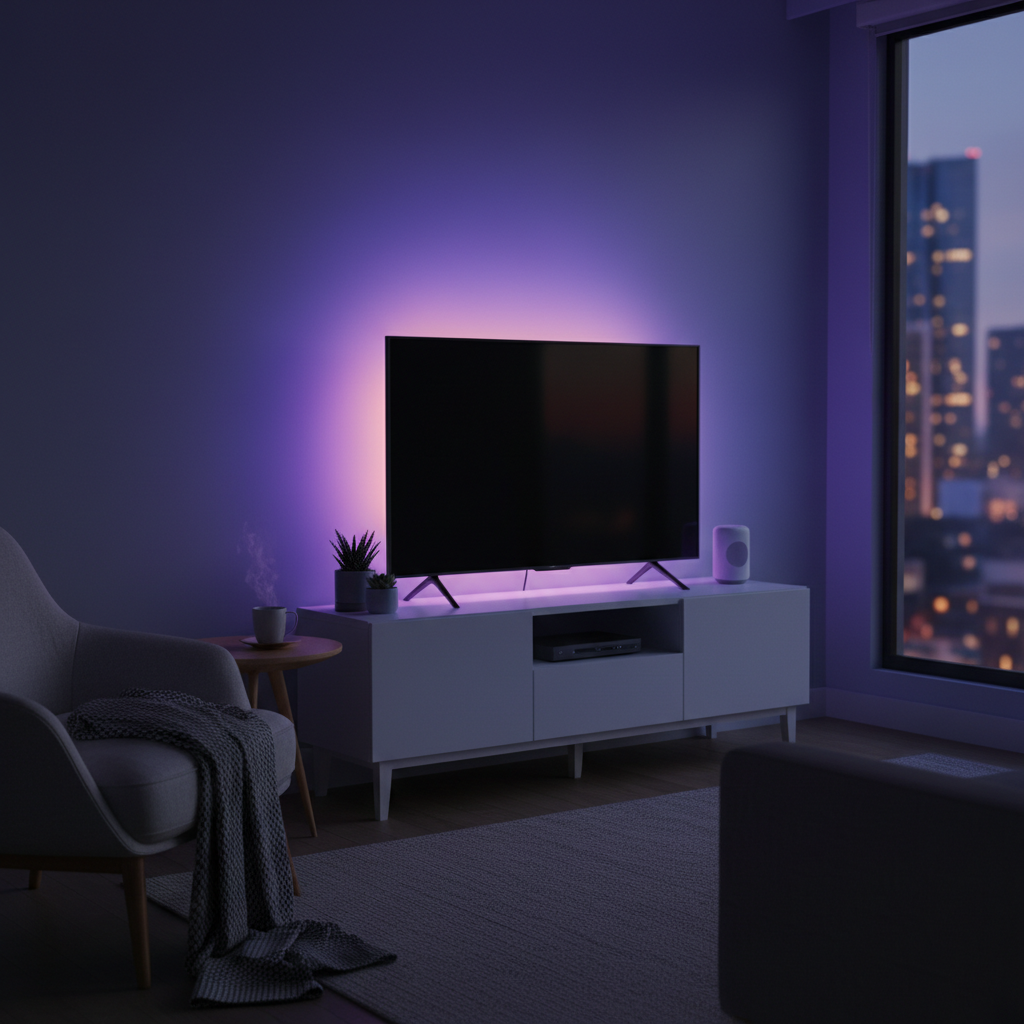
Common applications for this type of LED strip light include enhancing the ambiance of living spaces by backlighting TVs and monitors, illuminating cabinet interiors, adding under-bed glow, or accentuating architectural features. Its flexibility makes it ideal for creative installations, transforming ordinary areas into visually engaging environments.
Unpacking the Value: Advantages of the Meross Smart Wi-Fi LED Strip
The Meross Smart Wi-Fi LED Strip truly excels in offering substantial value, making it a highly attractive option for those on a budget. Its key advantages center around cost-effectiveness, ease of integration, and practical design.
First and foremost, its affordability is unparalleled in the smart lighting market, especially considering the length provided. Often available for a fraction of the cost of premium brands, Meross delivers a feature-rich experience without the premium price tag. This allows users to illuminate larger areas or multiple spaces economically.
Ease of setup is another major highlight. For Apple HomeKit users, the process is incredibly streamlined—simply scan the HomeKit pairing code, and the strip is integrated into your Home app within minutes, no separate account or app download required for basic control. For Android users or those wanting advanced features, the Meross app facilitates a straightforward Wi-Fi connection.
The hub-free operation is a game-changer. By connecting directly to your existing Wi-Fi network, the Meross strip eliminates the need for an expensive dedicated hub, a requirement for systems like Philips Hue. This not only saves money but also simplifies your smart home setup.
Furthermore, Meross often provides impressive length in a single kit, with options like 32.8 feet (10 meters) consisting of two 16.4-foot (5-meter) sections. This extended length is perfect for larger installations, reducing the need for multiple purchases or additional power supplies, making it a very convenient choice for comprehensive accent lighting projects.
Finally, its multi-platform compatibility with Apple HomeKit, Amazon Alexa, and Google Assistant means seamless integration into virtually any smart home ecosystem. You can control the lights with voice commands, schedule routines, and create scenes alongside other smart devices, providing remarkable flexibility and convenience.
Meross Smart Wi-Fi LED Strip: Performance and Features Deep Dive
When evaluating any LED strip light, understanding its performance characteristics and feature set is crucial. The Meross Smart Wi-Fi LED Strip, while a budget pick, offers a robust set of functionalities.
Color and Brightness
|
Our Picks for the Best LED strip light in 2026
As an Amazon Associate I earn from qualifying purchases.
|
||
| Num | Product | Action |
|---|---|---|
| 1 | Govee RGBIC LED Strip Lights, Smart LED Lights for Bedroom, Bluetooth LED Lights APP Control, DIY Multiple Colors on One Line, Color Changing LED Strip Lighting Music Sync, Home Decor, 16.4ft |

|
| 2 | dalattin White LED Strip Lights, 20ft Dimmable Super Bright 24V Led Tape Light 6500K 360 LEDs Lights for Bedrooms, Mirror, Kitchen, Home Decoration Daylight White |
|
| 3 | DAYBETTER LED Strip Lights 110ft, Smart Lighting Strips with App Remote Control, RGB Music Sync Color Changing Lights for Bedroom Kitchen Party Home Decor Luces led para cuarto (1 Roll) |
|
| 4 | Govee 100ft RGBIC LED Strip Lights, Smart LED Lights Work with Alexa and Google Assistant, LED Lights for Bedroom WiFi App Control Segmented DIY Multiple Colors, Color Changing Light, (2 x 50ft) |
|
| 5 | White Led Strip Lights for Bedroom Small Dimmable LED Lights Strip 16.4ft Super Bright Flexible LED Tape Lights Rope Light for for Room Home Decor Luces Leds for Living Room Kitchen Vanity Mirror |
|
| 6 | Govee White LED Strip Lights, Upgraded 16.4ft Dimmable LED Light Strip 6500K Bright Daylight White, Strong Adhesive, 300 LEDs Flexible Tape Lights for Mirror, Kitchen Cabinet, Bedroom, Christmas Decor |
|
| 7 | NBBUFF Led Lights for Bedroom 50ft (1 Roll), Color Changing RGB Led Strip Lights with 60 Keys Remote and App Control, Music Sync Led Lights for Room Kitchen Party Home Decor |
|
| 8 | DAYBETTER Led Strip Lights 32.8ft Kit with Remote and Power Supply Color Changing |
|
| 9 | Barrina (6 Pack LED T5 Integrated Single Fixture, 4FT, 2200lm, 6500K Super Bright White, 20W Utility LED Shop Light, Ceiling and Under Cabinet Light, Corded Electric with ON/Off Switch, ETL Listed |
|
| 10 | KSIPZE 100ft Led Strip Lights RGB Music Sync Color Changing Led Lights with Smart App Control Remote Led Lights for Bedroom Room Lighting Flexible Home Décor |
|
The Meross strip boasts the industry-standard 16 million colors, providing a vast spectrum for personalization. In practice, many reviewers note that darker red and lighter blue tones are particularly rich and vibrant. However, it’s worth noting that some colors, particularly certain shades of yellow, purple, and darker greens, might appear slightly flatter or more pastel compared to higher-end strips. This isn’t a deal-breaker for accent lighting but something to consider if absolute color accuracy is paramount for your specific application.
In terms of brightness, the Meross strip is generally considered ample for accent and mood lighting. While specific lumen output might not always be explicitly stated, it’s typically sufficient for backlighting TVs, desks, or adding ambient light under cabinets. However, it’s not designed to be a primary light source for an entire room, a common characteristic of most decorative LED strips.
Control Options
Meross provides multiple avenues for controlling your LED strip:
- Meross App: This dedicated app unlocks the full potential of the strip, offering detailed color selection with more shades, preset scenes (like “Party” or “Reading”), custom routines, and scheduling options. It’s also necessary for initial setup if you’re not using HomeKit.
- Apple Home App: For HomeKit users, the strip integrates directly, allowing basic on/off control, brightness adjustment, and selection from quick preset colors. It also enables seamless integration into HomeKit automations and Siri voice commands.
- Voice Assistants (Alexa, Google Assistant): The Meross strip responds reliably to voice commands via Amazon Alexa and Google Assistant. You can change colors, adjust brightness, and turn the lights on or off using simple vocal prompts. Many users find Alexa to be particularly responsive with Meross devices.
Physical Design and Installation
The Meross Smart Wi-Fi LED Strip typically features a narrow, flexible design, making it adaptable to various installation spaces. It comes with a peel-and-stick adhesive backing for straightforward mounting. Additionally, Meross often includes mounting clips for extra security or for situations where permanent adhesive might not be desired, offering more flexibility. The strips are also trimmable at marked intervals, allowing you to customize the length to perfectly fit your space.
One practical aspect is the control module, which often features two power connection leads, allowing you to connect both included 16.4-foot sections to a single power supply. This design is convenient for covering larger continuous areas.
Meross vs. The Rest: A Comparative Look
When considering the Meross Smart Wi-Fi LED Strip, it’s helpful to understand how it positions itself against other popular options on the market. Its “cheap pick” designation comes with both strengths and some inherent limitations when compared to premium smart lighting brands.
Here’s a simplified comparison:
| Feature | Meross Smart Wi-Fi LED Strip (Budget Pick) | Premium Strips (e.g., Philips Hue, Eve, Nanoleaf) |
|---|---|---|
| Price | Very affordable (~$35-$50 for 16.4-32.8ft) | Higher-end ($80-$100+ for shorter lengths) |
| Hub Required | No (direct Wi-Fi) | Often required (e.g., Philips Hue Bridge, Thread Border Router) |
| Length in Kit | Often longer (e.g., 2 x 16.4ft sections for 32.8ft total) | Typically shorter (e.g., 6.6ft / 2m standard) |
| Brightness | Good for accent lighting (e.g., ~800 lumens) | Generally brighter (e.g., 1800-2200 lumens) |
| Color Reproduction | Good, some flatness in certain shades (yellows, purples) | Generally superior, wider and more accurate color gamut |
| Adaptive Lighting | Not supported | Supported by some (e.g., Eve, Nanoleaf with iOS 14+) |
| Wireless Tech. | Wi-Fi (2.4GHz) | Wi-Fi, Bluetooth, Zigbee, or Thread (newer, lower power) |
| Power Supplies | Usually one power supply for multiple sections | Often one power supply per strip |
“The Meross strip offers an undeniable value proposition for its price point. While it may not match the absolute brightness or granular color accuracy of high-end competitors, its hub-free operation and extensive length make it a standout choice for budget-conscious users seeking vibrant accent lighting.”
This comparison highlights that Meross provides an excellent entry point into smart lighting, especially for those prioritizing affordability and simplicity. If peak brightness, perfect color fidelity, or cutting-edge features like Adaptive Lighting are essential, more premium (and expensive) options might be a better fit.
Is the Meross Smart Wi-Fi LED Strip the Right Choice for You? (Buying Guide)
Deciding whether the Meross Smart Wi-Fi LED Strip is the right fit comes down to understanding your specific needs and priorities. This buying guide will help you determine if this budget-friendly option aligns with your smart lighting goals.
You Should Buy the Meross Smart Wi-Fi LED Strip if:
- You’re Budget-Conscious: If getting smart, colorful lighting without a significant investment is your primary concern, Meross is an outstanding choice. Its price-to-performance ratio is highly competitive.
- You Want a Hub-Free Solution: The simplicity of direct Wi-Fi connectivity, eliminating the need for an additional smart home hub, is a major draw for users seeking a straightforward setup.
- You Need Long Strips: For covering extensive areas like large TV backlights, entire desk setups, or room perimeters, the generous length offered in a single Meross kit provides excellent value.
- You Primarily Need Accent or Mood Lighting: The brightness and color range are perfect for adding ambiance and decorative lighting, rather than serving as the sole light source for a room.
- You Use Multiple Smart Assistants: Its compatibility with HomeKit, Alexa, and Google Assistant ensures seamless integration into your preferred smart home ecosystem.
You Should Reconsider the Meross Smart Wi-Fi LED Strip if:
- You Require Maximum Brightness: If you need an LED strip that can significantly illuminate a large room or provide intense task lighting, you might find Meross’s output a bit lacking compared to brighter, more expensive alternatives.
- Absolute Color Accuracy is Critical: While colors are generally good, if you demand precise color matching for professional applications or specific aesthetic requirements, the subtle limitations in certain shades might be an issue.
- You Need Outdoor Lighting: The Meross Smart Wi-Fi LED Strip is designed for indoor use only and lacks weather resistance. For outdoor applications, you’ll need a specialized, weather-rated strip.
- You Desire Advanced Features like HomeKit Adaptive Lighting: Meross strips do not currently support features like Adaptive Lighting, which automatically adjusts color temperature throughout the day.
- You Plan to Use Both Included Strips in Separate Locations: While a single kit often includes two sections, it typically only comes with one power supply. Using them in different areas would require an additional power adapter.
Ultimately, for most consumers seeking an affordable, easy-to-use, and versatile smart LED strip for indoor accent lighting, the Meross Smart Wi-Fi LED Strip offers exceptional value and performance.
Installation and Troubleshooting Tips
Installing and maintaining your Meross Smart Wi-Fi LED Strip is generally straightforward, but a few tips can ensure a smooth experience and prolonged lifespan.
Detailed Installation Steps:
- Preparation: Unroll the LED strip and connect it to the control module, then connect the module to the power adapter. Plug it into a power outlet.
- Physical Placement: Decide on your desired location. Clean the surface thoroughly to ensure the adhesive backing sticks effectively. Peel off the protective strip from the adhesive and carefully press the LED strip into place. For added security or temporary installations, use the included mounting clips.
- Customization: If the strip is too long, locate the designated cutting marks (usually indicated by a copper line and scissors icon) and cut with standard scissors. Be cautious not to cut elsewhere, as this can damage the strip. If extending, use the included extension clips to join sections, ensuring the polarities align correctly.
- Smart Home Pairing (HomeKit): For HomeKit users, open the Apple Home app, tap “Add Accessory,” and scan the HomeKit code on the control module or packaging. Follow the on-screen prompts.
- Smart Home Pairing (Meross App / Alexa / Google Assistant): For other platforms or advanced features, download the Meross app. Turn on the LED strip, and wait for it to flash. In the Meross app, select “Add Device” and follow the instructions to connect it to your 2.4GHz Wi-Fi network. Once connected to Meross, you can easily link your Meross account to Alexa or Google Assistant apps.
Safety and Usage Notes:
- Indoor Use Only: Always remember that the Meross Smart Wi-Fi LED Strip is designed exclusively for indoor environments. Exposure to moisture or extreme temperatures can damage it and pose safety risks.
- 2.4GHz Wi-Fi: Ensure your smartphone is connected to your router’s 2.4GHz band during the initial setup process, as Meross devices typically operate on this frequency.
- Optimal App Usage: While voice assistants are convenient, the Meross app often provides a wider array of color options, scene presets, and routine customization, allowing for more granular control over your lighting effects.
Troubleshooting Common Issues:
- Connectivity Problems: If the strip fails to connect during setup, try disabling your router’s 5GHz Wi-Fi band temporarily, or check if your firewall settings are blocking new devices. Sometimes, simply power cycling the strip and your router can resolve minor glitches.
- Uneven Colors in Extended Strips: If you’ve cut and re-joined sections, and the colors appear inconsistent, recheck the connection of your extension clips. Ensure they are firmly clamped and correctly aligned. Minor bumps or loose connections can sometimes cause color discrepancies.
- “No Response” in Smart Home App: This typically indicates a temporary loss of Wi-Fi connection. Verify your Wi-Fi network is stable and the strip is within good signal range. Power cycling the strip can often re-establish the connection.
By following these guidelines, you can maximize the enjoyment and longevity of your Meross Smart Wi-Fi LED Strip.
Conclusion
The Meross Smart Wi-Fi LED Strip stands out as a genuinely excellent “cheap pick” in the crowded smart lighting market. It adeptly combines affordability with essential smart features, providing a compelling package for anyone looking to add vibrant, controllable accent lighting to their home. Its hub-free Wi-Fi connectivity simplifies setup, and its impressive length options offer great value for extensive installations. While it might not boast the extreme brightness or absolute color fidelity of its premium counterparts, it delivers robust performance and seamless integration with major smart home ecosystems, including Apple HomeKit, Alexa, and Google Assistant.
For budget-conscious consumers seeking a reliable, easy-to-use, and versatile smart LED strip for indoor decorative and mood lighting, the Meross Smart Wi-Fi LED Strip is an undeniable champion. It proves that you don’t need to spend a fortune to illuminate your world with smart, colorful light. Are you ready to transform your living space with this smart lighting bargain?
Câu Hỏi Thường Gặp
How long is the Meross Smart Wi-Fi LED Strip typically?
The Meross Smart Wi-Fi LED Strip often comes in generous lengths, with popular kits offering two 16.4-foot (5-meter) sections that can be joined for a total of 32.8 feet (10 meters). This makes it ideal for covering larger areas like behind entertainment centers or along room perimeters.
Does the Meross LED strip require a hub?
No, one of the key advantages of the Meross Smart Wi-Fi LED Strip is its hub-free operation. It connects directly to your home’s 2.4GHz Wi-Fi network, simplifying installation and reducing the overall cost compared to systems that require a dedicated smart home hub.
Can Meross LED strips be used outdoors?
No, the Meross Smart Wi-Fi LED Strip is designed for indoor use only. It lacks weather resistance and should not be exposed to moisture or extreme outdoor elements to ensure safe and proper operation. For outdoor lighting, specific weather-rated LED strips are required.